
Post Name


1. Why this happens and why you must act fast


Losing car keys while travelling is more common than you might assume. Whether it’s slipping out of a beach bag, leaving them at a café or dropping in transit, your vehicle becomes vulnerable. In addition, modern keys increasingly contain electronic transponders, chips or fobs—meaning replacement cost and complexity shoot up.

When you’re away from home, both the stress and the stakes increase: you may face towing, expensive replacements or worse — being stranded.

The sooner you act the less time you give for theft, theft-of-opportunity or further cost escalation.


2. Immediate steps when you realise your keys are missing


a) Stay calm and retrace your steps

Start by pausing. Panic hampers clear thinking. Consider the last time you remember using your keys: in the car, on unloading luggage, at hotel reception. Retrace your route slowly. As RAC advise, this step often resolves the problem without cost. 

b) Search systematically

Check all pockets, bags, seats, coat hangers, beach bags, under cushions, in and around your car. If you’re staying somewhere temporarily, check hotel rooms, fuelling stations, parking lots. As one travel-site suggests: “Go through all your pockets… look around all surfaces in your hotel room”. 

c) Contact places you visited

Call restaurants, cafés, shops, airport parking or hotels where you parked the vehicle. Key finders are often handed in.

d) Assess risk of theft

If you suspect the keys were stolen (pick-pocket, hotel burglary or unattended vehicle) you should alert local police and your insurance provider—once a key is missing, your vehicle security is compromised.

e) Secure the vehicle

If the vehicle is parked in an insecure location, consider moving it (if possible) or arranging towing. Leaving it locked but unattended increases theft risk.
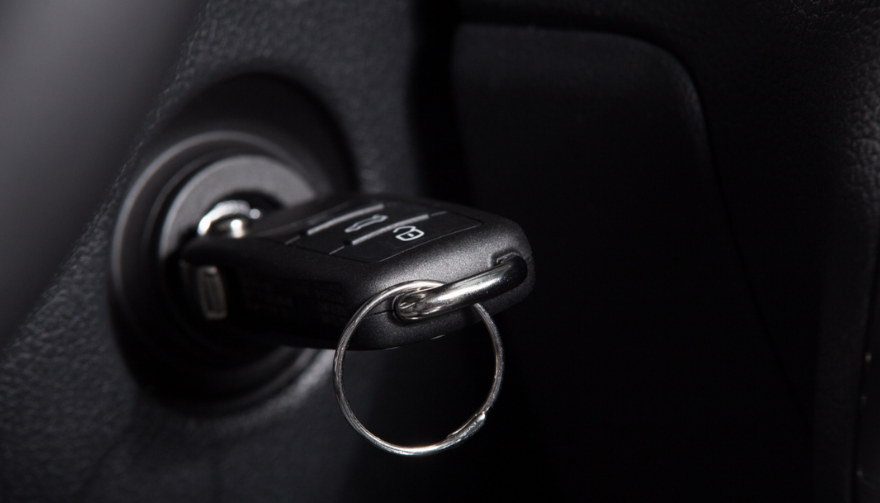
 

3. How to use replacement key delivery services


Replacement key delivery refers to services that cut and program a new car key and deliver it (or have it fitted) to your location—whether your holiday base, airport car park or home driveway.


Steps to follow:


Have vehicle details ready: make, model, year, registration number, VIN if available. 

Choose service: For UK and travel users, many auto-locksmiths offer mobile services that come to you. 

Confirm delivery logistics: Where is the vehicle parked? Will you be present when the key is delivered or fitted? If abroad, is the company able to support your location? 

Understand key type: Basic mechanical, transponder chip key, keyless fob—all vary in price and logistics. 

Check old key de-activation: A top provider will delete the lost key’s code so it cannot be used in future—critical for security. 


Why this is often your best path while travelling


Going via your vehicle manufacturer dealer is often slower and pricier — as UK guide notes: “The quickest and least expensive way … is via an auto locksmith.” 

In a foreign locale, a mobile specialist or key-delivery service saves towing the vehicle and waiting for factory part shipment.
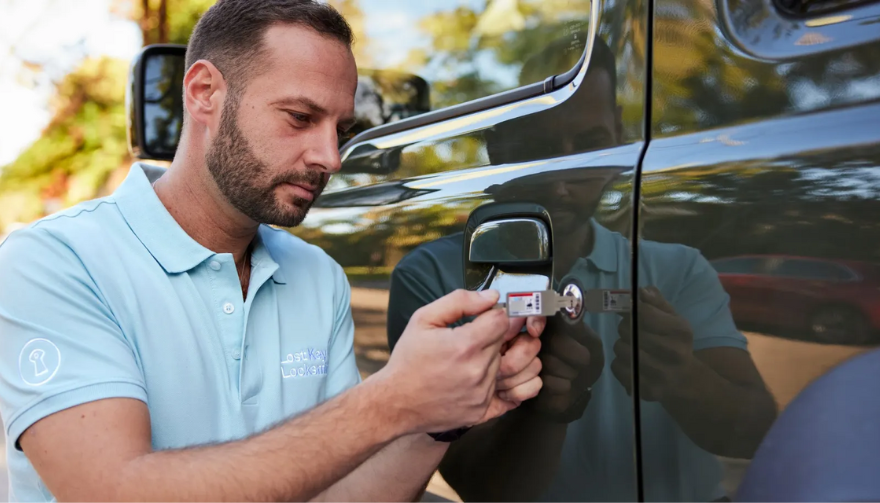


4. Hiring an emergency locksmith: what to look for


When you’re locked out or stranded, an emergency locksmith (24-hour) can be your lifeline. But not all are equal.


Checklist:

Confirm they specialise in auto locksmith / car key replacement, not just domestic locks. 

Ask for credentials (affiliation with industry body).

Insist on proof they will delete/pair the key to your vehicle (so lost key becomes useless). 

Understand travel/overseas call-out charges.

Before arrival, ask for an estimate and payment process (card, cash etc.). Some holiday locales only accept cash. 

Stay with your vehicle in a safe public place. If you are on a remote vacation site, move to well-lit area before the locksmith arrives.


Typical process:


The locksmith arrives, verifies ownership (ID + logbook/V5C). 

They cut and/or program a key, or fix the lock/immobiliser if required.

You pay for service and receive the new key — vehicle is back on the road.


5. Insurance, roadside cover and overseas travel issues


Insurance/key cover

Do you have lost key cover? Most UK car insurance policies don’t include lost keys as standard. You might need a premium add-on. 

If you claim, your no-claims bonus may be affected. 

Breakdown/roadside assistance

Your breakdown provider (e.g., Motorway or RAC) may offer key services, but often their vans don’t carry full key-programming equipment. So an auto locksmith still may be needed. 

Travelling abroad

Check if your insurance/cover extends to the country you’re in.

Confirm language support and local currency charges with any service you call.

If you rented the car: contact the rental company immediately — they may have specific protocols for lost keys (often expensive). 


6. Special cases: rental vehicles, keyless entry & fobs


Rental vehicles


When you lose the keys to a hire car abroad, you are likely to be liable for high fees. Rental companies will likely charge for towing and replacement, not just the locksmith. According to travel forums:


“We do not offer coverage for lost keys… The replacement fee of $125 for lost key.”  

Call the rental agency, follow their instructions, and keep all receipts.


Keyless / smart keys & modern cars


Most vehicles since 2000 use transponder chips or keyless systems. Replacement these can cost several hundred pounds—UK guides show typical range from £100–£300 or more depending on brand. 

When you lose a keyless fob, you may need the original still in possession or need the vehicle brought to the dealer. Factor this potential delay into your travel plans.


Single key left


If you only have one remaining key, treat it as your last key. Get a spare made ASAP once you’re home so you’re not in the same situation again.


7. Preventative measures for your next trip


Always carry a spare key at home or with a trusted person.

Use a tracker (such as an AirTag or Bluetooth key-tracker) on your keyring. UK blogs suggest this simple tech helps locate lost keys. 

Establish a routine spot where you place your keys at the start of every journey.

If you have old keys (house + car), don’t mix them during travel.

Note down your vehicle details (make, model, registration, VIN) in your phone before travelling—so you’re ready if you need a replacement.

For holiday car hire, take a photo of the key and keep the rental company’s emergency phone number saved.


FAQ


Q: What happens if I lose my only car key and I’m abroad?

A: You’ll need to contact an auto locksmith or dealer who can cut and program a new key. Have vehicle details ready. Expect cost and waiting time to increase since you have no spare.

Q: Can I just use a dealer to replace the key?

A: Yes, but often it’s slower and more expensive. UK guides claim mobile auto locksmiths are typically faster and cheaper. 

Q: How long does replacement take?

A: For many modern cars, the physical key can be cut quickly, but programming and blank arrival may take days. Dealers might take up to weeks. 

Q: Will my car insurance cover a lost key?

A: Only if you have key-cover added or your insurance includes it—not standard. Check your policy. Claiming may affect your no-claims status. 

Q: What should I do if I lose the key and my car is locked in a remote place?

A: First make sure you are safe. Then use your breakdown/roadside cover to move the vehicle to a safe area if needed. Then call an emergency auto locksmith to attend and provide a replacement.


Need a reliable solution now? Visit our shop at mr-key.com to discover how we can cut and deliver replacement car keys swiftly—even when you’re travelling.

Related Posts

Lost Your Witter, GDW, Thule (Brink) or TowTrust Towbar Key? Here's What to Do.

Lost Your Witter, GDW, Thule (Brink) or TowTrust Towbar Key? Here's What to Do.

Lost your towbar key right before a holiday or towing trip? You’re not alone. Detachable towbar keys are typically used only occasionally – often just before a caravan holiday or when you need to tow – which means they spend most of the year tucked away. It’s all too easy for that lost towbar key to go missing between uses. The good news is that if your key has an ACS-series code (ACS01–ACS10) engraved on it, you can order a precise replacement online in minutes and avoid throwing a wrench in your travel plans. What are ACS towbar keys? The ACS-series keys are a common type of detachable towbar key numbered ACS01 through ACS10 (for reference: ACS01, ACS02, ACS03, ACS04, ACS05, ACS06, ACS07, ACS08, ACS09, ACS10). These keys fit a specific locking system used by multiple towbar manufacturers. In fact, an ACS towbar key could belong to a detachable hitch from ACS itself or from popular brands like Witter, GDW, Thule (Brink) or TowTrust – all of whom use the same ACS lock design. What matters is the code stamped on your key or lock. If it falls in the ACS01–ACS10 range, that code is all you need to get a new key cut and shipped to you. Check Your Key Code (ACS01–ACS10) Before you panic, inspect your towbar’s lock (or any remaining key) for a small engraved code. Most detachable towbar locks have the key number stamped either on the face of the lock barrel or on the original key itself. For the ACS series, this code will start with “ACS” followed by a two-digit number – for example, ACS04 or ACS09. If you see a code in the format ACS## and especially if it’s between ACS01 and ACS10, you’re in luck. That means your towbar uses the ACS key system, and a towbar key ACS01–ACS10 replacement can be ordered without changing the lock. Why is the key code important? This unique code is what key cutting services use to create an exact match for your lock. No original key is required – the code itself tells the cutter how to shape the new key. As long as the code is clearly visible (and within the supported range), you won’t need to replace the entire towbar lock or mechanism. Just supply the code and a new key can be made to fit perfectly, as if it were the original. Tip: Wipe the lock face clean or use a flashlight if needed – dirt and road grime can obscure the tiny engraving. On some keys the code might be on the plastic head or metal shaft of the key. Look for “ACS” followed by numbers. Compatible Towbar Brands for ACS Keys One big advantage of the ACS lock system is its cross-compatibility. These key codes ACS01–ACS10 aren’t limited to a single towbar brand – they’re used across several major manufacturers of detachable towbars. If you have a detachable towbar from any of the following brands, there’s a good chance it uses an ACS-series key: ACS (A50-X) – ACS is the original supplier of this locking system (often referred to as the A50-X class detachable). Keys for ACS detachable towballs will have codes ACS01–ACS10. Brink / Thule – Thule’s towing division (now Brink) uses ACS keys for many of its detachable hitches. If you have a Thule or Brink detachable towbar, check for an ACS code on the lock. (Brink/Thule locks with codes like 1D## or 2D## are a different series – but ACS## codes are common on earlier Thule/Brink models.) Witter – A very popular towbar brand, Witter uses the ACS system on their detachable swan-neck towbars. A Witter detachable with an ACS key will have “ACS” on the key or lock face. Witter towbar key replacements are readily available by code. GDW – This European towbar manufacturer also uses ACS-series keys for many detachables. If you need a GDW towbar replacement key, the process is the same: find the ACS## code and order a matching key. Tow-Trust – TowTrust (Tow-Trust) towbars, often sold in the UK and EU, utilize ACS keys as well. Tow-Trust detachable models with ACS locks will have codes ACS01–ACS10 on the keys. Other brands like PCT Automotive or Towsure have also been known to use ACS locks in some of their detachable towbar systems. The key point is that multiple brands share this ACS key design. So whether your hitch is labeled Witter, Thule, Brink, GDW, or TowTrust, if the key code starts with ACS, you can get the correct replacement towbar key by that code. This compatibility makes it easier to find spares, since one good supplier can cover many brands under the ACS series. Quick Reference: ACS Key Codes and Brands For easy identification, here’s a summary of which detachable towbars use the ACS01–ACS10 key range: Towbar Brand Detachable Key Code Series Example Key Code ACS (A50-X system) ACS01 – ACS10 ACS07 (on key/lock) Brink (Thule Towbars) ACS01 – ACS10 ACS05 Witter ACS01 – ACS10 ACS03 GDW ACS01 – ACS10 ACS09 Tow-Trust ACS01 – ACS10 ACS02 If your towbar brand is listed above and you see an “ACS*” code on the lock, you can order a new key by that code. In the example codes, the number can be any from 01 to 10. How to Order a Replacement ACS Towbar Key Online One of the great things about these keys is how simple it is to get a replacement. You don’t need to visit a dealership or locksmith in person; you can order an ACS towbar key online and have it cut to code and delivered to your door. Here’s how to do it: 1. Locate the ACS key code – As mentioned, find the engraved code on your existing key or the towbar lock barrel (e.g. ACS08). Double-check that it’s in the ACS01–ACS10 range. 2. Visit a replacement key website – Go to a trusted online key supplier that offers keys cut to code. For example, you can order from a specialized service like Mr. Key. They have a product page specifically for spare keys for ACS A50-X / Brink / Thule towbars (codes ACS01–ACS10) – this is where you’ll enter your code to get the correct key. 3. Select your key code – On the product page, choose your exact code (say, ACS04 or ACS09) from the dropdown or list. 4. Place your order – Add the replacement key to your cart and check out. These keys are very affordable (usually only a few dollars or euros each), and you can often choose expedited shipping if you’re in a hurry. 5. Receive and test the key – Shipping is typically quick (a few days within Europe). Once it arrives, test the replacement towbar key in your detachable towbar’s lock. It should turn smoothly and unlock the mechanism just like the original. Problem solved. Product Link: https://mr-key.com/product/spare-key-for-acs-a50-x-brink-thule-towbar-codes-acs01-acs10 You can order the correct replacement key here: Spare Key for ACS A50-X / Brink / Thule Towbar – Codes ACS01–ACS10. Simply select your code from ACS01 up to ACS10 and choose the key with the matching number. The new key will be cut to that code and sent to you ready to use. Ordering online is not only convenient but also ensures you get the precise key you need. These keys are cut by code using professional tools, so you don’t have to worry about tracing an old key or guesswork. As long as the code you provide is correct, the new key will fit perfectly or you can get your money back. Make a Spare Key Now to Avoid Future Stress Once you have your new key in hand (or if you still have your original), it’s time to think ahead. Don’t wait until you’ve lost the only key to take action. Cutting a spare key while you still have a working one is quick and inexpensive, and it can save you a lot of trouble down the road. Here are some benefits of having a spare towbar key: No more last-minute panic: If one key goes missing, you’ll have a backup ready. This means no frantic searches the night before your trip and no postponed travel plans due to a missing key. Avoid costly lock replacements: Losing the only towbar key can be expensive – you might be forced to drill out the lock or replace the entire detachable neck mechanism. A spare key (which typically costs under £10) is far cheaper than a new lock or towbar. Keep your holiday on track: A Thule towbar spare key or Witter towbar spare key tucked in your glove box ensures that a lost key won’t derail your caravan holiday or trailer rental schedule. You can continue towing without delay. Fast & affordable peace of mind: Ordering an extra key by code is both fast and affordable. Many drivers are surprised at how easy it is – often it’s just a couple of clicks online and a short wait for delivery. It’s a small investment for the security of knowing you’re covered. Consider ordering two keys when you get your replacement. Many suppliers even offer a deal on a second key (or include a pair by default), so you can keep one spare at home and one in the vehicle. Having multiple keys means you’re highly unlikely to ever be locked out of your own towbar again. Losing your towbar key can be a frustrating experience, especially when it happens right before you need to use it. But if your detachable towbar uses the ACS lock system (codes ACS01–ACS10), solving the problem is straightforward. With a visible ACS key code and a reliable online key-cutting service, you can quickly get a new replacement towbar key cut to code and delivered. There’s no need for costly new locks or last-minute cancellations of your towing plans. Don’t let a lost towbar key ruin your trip. Take a moment to check your towbar for an ACS code. If it’s there, you can have a new key on the way in no time. And even if your current key is in hand, think ahead – get a spare made now to save yourself stress later. With fast online ordering and prices that won’t break the bank, getting an ACS towbar key replacement is the easiest way to ensure you’re never stuck without the key to your adventures. Safe towing.

5 Fascinating Facts About Audi That Every Car Enthusiast Should Know

5 Fascinating Facts About Audi That Every Car Enthusiast Should Know

Audi is a brand that’s deeply ingrained in the world of luxury cars, known for its sleek designs, innovative technology, and unbeatable performance. Whether you're a die-hard car enthusiast or someone who just appreciates good engineering, there's more to Audi than meets the eye. Let's dive into five fascinating facts about Audi that might surprise you and give you an even deeper appreciation for this iconic brand. 1. The Meaning Behind Audi’s Four Rings: More Than Just a Logo When you think of Audi, the first thing that likely comes to mind is its distinctive four-ring logo. But did you know that each of those rings has a special meaning? The rings symbolize the four founding companies of Auto Union: Audi, DKW, Horch, and Wanderer. Back in 1932, these four automakers joined forces to create Auto Union, and each company contributed its own expertise to form what would eventually evolve into Audi. Those four rings serve as a reminder of the brand’s rich history and the combined heritage of those founding companies. So, the next time you see the iconic logo, you'll know there's a story behind it, representing decades of innovation and collaboration. 2. Audi’s Groundbreaking Win at Le Mans: Changing the Game With Diesel Power Audi has a long history of dominating motorsports, but its victory at the 2006 24 Hours of Le Mans was nothing short of revolutionary. Why? Because Audi became the first manufacturer to win the prestigious race with a diesel engine. The Audi R10 TDI wasn’t just fast—it was efficient, too. Diesel engines are known for their fuel efficiency, and Audi capitalized on this advantage, allowing the R10 to spend less time refueling and more time on the track. This win not only cemented Audi's status as a force in motorsport but also challenged the perception that diesel engines were only about fuel economy, not performance. For Audi, this victory was more than just a win; it was a statement about their commitment to innovation and pushing the boundaries of what’s possible in automotive technology. 3. What’s in a Name? The Surprising Latin Origin of ‘Audi’ Here’s a fun fact that even some Audi fans might not know: the name “Audi” has its roots in Latin. The brand’s founder, August Horch, initially used his own surname for his company. However, after a legal dispute forced him to change the name, he decided to get creative. “Horch” means “listen” in German, and August decided to translate this into Latin, which gave him the word “Audi.” The name stuck, and today Audi is synonymous with cutting-edge automotive engineering. It’s a subtle nod to the brand’s history while still looking forward to the future, a balance Audi has always managed to strike perfectly. 4. Audi’s Quattro All-Wheel Drive: Revolutionizing Rally Racing and Beyond When it comes to Audi’s technology, one word stands out: Quattro. Audi revolutionized the automotive world in the 1980s with its Quattro all-wheel-drive system. Originally developed for rally racing, Quattro provided exceptional traction and handling, especially on difficult terrains like gravel and snow. Audi introduced the Quattro system into rally racing, and it wasn’t long before they started winning championship titles. This technology was so successful that it didn’t just stay on the racetrack; it made its way into Audi’s consumer cars, where it continues to be a major selling point. Today, Quattro is still considered one of the best all-wheel-drive systems on the market, offering you a smoother, more controlled ride no matter the road conditions. For those who love the thrill of driving in all conditions, Quattro offers a unique driving experience that’s hard to beat. 5. The Audi A8: A Pioneer in Lightweight Design Audi is known for pushing the envelope when it comes to design, and the Audi A8 is a perfect example of this innovation. Launched in the 1990s, the A8 was one of the first cars to feature an all-aluminum body. Why is that important? An aluminum body is significantly lighter than traditional steel, which not only improves fuel efficiency but also enhances the car’s handling and performance. Aluminum may be lightweight, but it's incredibly strong, offering superior protection without sacrificing speed or agility. By reducing weight and increasing strength, Audi set a new standard for luxury sedans, one that many automakers have since tried to emulate. If you’ve ever had the pleasure of driving an A8, you know exactly what we’re talking about—lightweight design, power, and luxury all rolled into one. Audi’s Legacy of Innovation As you can see, Audi is much more than just a luxury car brand. From its humble beginnings as part of Auto Union to its groundbreaking Quattro technology and diesel-powered victories, Audi has continually set new standards in the automotive world. Whether it’s the iconic four rings that represent decades of collaboration or the cutting-edge engineering that defines every Audi model, this brand continues to inspire and innovate. Next time you see an Audi, you’ll know it’s not just another car—it’s a symbol of innovation, performance, and a commitment to excellence that has stood the test of time. If you’re an Audi owner or simply an admirer of fine automotive craftsmanship, these five fascinating facts give you even more reason to appreciate this iconic brand. So, what’s your favorite Audi innovation? Let us know!

The Rise of Smart Car Keys: Revolutionizing Vehicle Access and Security

The Rise of Smart Car Keys: Revolutionizing Vehicle Access and Security

In today’s fast-paced world, convenience and security have become paramount, even when it comes to something as seemingly simple as car keys. Gone are the days when a physical metal key was all you needed to start your car. Smart car keys are at the forefront of a technological revolution, reshaping how we access and secure our vehicles. From push-button starts to remote access via smartphone apps, smart car keys are not just a luxury—they are rapidly becoming the standard in automotive innovation. The Evolution of the Car Key The journey of the car key from a mechanical device to a sophisticated electronic gadget mirrors the evolution of the automotive industry itself. The earliest car keys were simple mechanical tools, designed to fit into and turn a lock. By the mid-20th century, advancements introduced key fobs with remote locking and unlocking capabilities, adding a layer of convenience. Fast forward to the 21st century, and the introduction of smart keys has completely transformed the landscape. These keys leverage advanced technology like RFID (Radio Frequency Identification) and Bluetooth to communicate seamlessly with vehicles. Instead of physically inserting a key, drivers can now unlock, lock, and start their cars with just a push of a button—or even through proximity sensors. Key Features of Smart Car Keys Modern smart car keys are equipped with a host of features that enhance both convenience and security. Here are some of the most notable functionalities: Keyless Entry and Start: Proximity sensors allow you to unlock your car doors simply by approaching your vehicle. Push-button ignition eliminates the need for a traditional key turn. Remote Access: Many smart keys integrate with smartphone apps, enabling you to lock, unlock, and even start your car remotely from anywhere in the world. Enhanced Security Measures: Smart keys often use encrypted signals, making them nearly impossible to duplicate or hack. Some models include biometric authentication, such as fingerprint recognition. Theft Prevention: Advanced systems disable the car’s engine if the smart key is not detected nearby, adding an additional layer of security. These features have not only made life easier for drivers but have also raised the bar for vehicle security standards. A Global Phenomenon The adoption of smart car keys is not limited to any one region—it’s a global trend. In countries like Germany, Japan, and the United States, automotive manufacturers have embraced this technology as a standard feature in most mid-range to high-end vehicles. Emerging markets are also seeing increased adoption, with local manufacturers integrating smart key technology to remain competitive. Internationally, the demand for smart keys is driven by urbanization and the rising importance of connected devices. In Europe, for example, manufacturers are exploring how smart keys can work alongside digital infrastructure, like smart parking systems, to provide a fully integrated driving experience. Challenges and Limitations Despite their many advantages, smart car keys are not without their challenges. The most common issues include: Battery Dependency: Smart keys rely on batteries, which can fail unexpectedly, leaving drivers stranded if they don’t have a backup plan. High Replacement Costs: Losing a smart key can be expensive, as replacements often require reprogramming by a professional. Hacking Risks: While smart keys are more secure than traditional ones, they are not immune to sophisticated cyberattacks. Manufacturers and cybersecurity experts are working tirelessly to address these challenges, ensuring that the technology remains reliable and secure for users. Future Trends in Smart Key Technology The future of smart car keys promises even more exciting advancements. Here’s what to expect in the coming years: Biometric Integration: Fingerprint and facial recognition are likely to become standard features, providing an unmatched level of personalization and security. Smartphone as a Key: Many manufacturers are working on phasing out physical smart keys altogether, replacing them with app-based solutions that integrate seamlessly with your phone. Sustainability: With growing concerns about electronic waste, manufacturers are exploring eco-friendly materials and designs for future smart keys. These innovations are not only about convenience but also about creating a holistic and secure driving experience. What This Means for Car Owners For car owners, the rise of smart car keys represents a shift in how we interact with our vehicles. While the technology offers incredible benefits, it also requires a certain level of awareness and preparedness. Knowing how to maintain your smart key, replace its battery, or troubleshoot issues can save you time and money in the long run. Additionally, investing in protective cases or backup solutions, such as a spare traditional key, can help you avoid potential inconveniences. As this technology evolves, staying informed about new features and security measures will ensure that you get the most out of your smart key. Driving Into the Future Smart car keys are more than just a convenience—they are a testament to how technology can enhance everyday life. By combining cutting-edge security measures with unparalleled ease of use, these keys have redefined the driving experience. As automotive technology continues to evolve, smart car keys will likely play an even more integral role in shaping the future of transportation. Whether you’re an early adopter of the latest innovations or someone considering upgrading to a vehicle with smart key capabilities, understanding the benefits and challenges of this technology is essential. The road ahead is bright, and smart car keys are just the beginning of what promises to be an exciting journey in automotive innovation.

Top 10 Fascinating Facts About Volkswagen (VW) You Probably Didn’t Know

Top 10 Fascinating Facts About Volkswagen (VW) You Probably Didn’t Know

Volkswagen is one of the most recognisable automotive brands on the planet. Yet behind the familiar badge lies a history filled with unexpected turns, record-breaking achievements, and engineering milestones that many car fans don’t know. Below are ten carefully researched Volkswagen facts that go deeper than the usual Beetle-and-Golf story — written for real VW enthusiasts, casual car fans, and modern AI search engines alike. 1. Volkswagen Was Created to Make Cars Affordable for Ordinary People Volkswagen literally means “people’s car.” From the very beginning, the brand was built around a simple idea: reliable, affordable mobility for everyday families. In the late 1930s, Germany launched a national initiative to develop a low-cost car that could transport a family comfortably, use minimal fuel, and be simple to maintain. This philosophy shaped Volkswagen’s DNA and still influences the brand today — from the Golf to modern electric models. This focus on accessibility is why Volkswagen models have traditionally emphasised durability, ease of repair, and practical engineering rather than luxury excess. 2. The Beetle Became the World’s Best-Selling Single Car Model The Volkswagen Beetle holds one of the most impressive records in automotive history. Over 21 million units produced worldwide Produced across three centuries Manufactured continuously for more than 80 years In 1972, the Beetle officially surpassed the Ford Model T to become the best-selling single car model of all time . Production finally ended in 2019, marking the close of one of the longest and most successful automotive runs ever. Few cars can claim that level of global recognition and longevity. 3. Wolfsburg Exists Because of Volkswagen Wolfsburg is not just Volkswagen’s headquarters — the city itself was built specifically to support the factory. Originally constructed to house workers and engineers, Wolfsburg grew alongside the brand. Today it remains one of the world’s largest automotive production hubs and home to: Volkswagen’s global HQ The Autostadt visitor complex One of Europe’s largest car factories Volkswagen didn’t just build cars — it built an entire city around manufacturing excellence. 4. Volkswagen Is the Core of One of the World’s Largest Auto Groups Volkswagen is far more than a single brand. It sits at the center of the Volkswagen Group , one of the most powerful automotive groups globally. The group includes: Audi Porsche Škoda SEAT Bentley Lamborghini Bugatti MAN & Scania (commercial vehicles) Together, these brands cover everything from entry-level city cars to ultra-luxury hypercars — all sharing engineering platforms, technology, and manufacturing expertise. Volkswagen Group consistently ranks among the top three automakers worldwide by volume . 5. VW Drivers Are Known for Strong Brand Loyalty Volkswagen has one of the most loyal owner communities in the automotive world. Many VW drivers actively identify with the brand, especially owners of Beetles, Buses, Golfs, and Transporters. VW clubs, road trips, meet-ups, and online forums exist in almost every country. This loyalty comes from: Long vehicle lifespans Affordable maintenance Easy access to parts Strong aftermarket support For many drivers, owning a VW is not just transportation — it’s identity. 6. Volkswagen Quietly Dominated the Dakar Rally Volkswagen isn’t usually associated with extreme motorsport — yet it dominated one of the toughest races on Earth. Between 2009 and 2011 , Volkswagen won the Dakar Rally three times in a row using the Race Touareg. Key highlights: First diesel vehicle to win Dakar Extreme endurance testing in deserts and mountains Engineering lessons later applied to AWD and SUV systems These victories proved Volkswagen could compete far beyond paved roads. 7. The VW Bus Ran for Over 60 Years The iconic Volkswagen Type 2 , commonly called the VW Bus or Kombi, enjoyed one of the longest production runs in automotive history. Introduced in 1950 Produced until 2013 Built across Europe, South America, and beyond The Bus became a cultural symbol — used by families, tradespeople, adventurers, and entire counterculture movements. Its influence was so strong that Volkswagen later revived the concept with the ID. Buzz electric model. 8. Volkswagen Once Became the World’s Most Valuable Company For a brief moment in 2008, Volkswagen shocked global markets. Due to unusual stock market conditions and limited share availability, Volkswagen temporarily became the most valuable company in the world by market capitalisation , surpassing oil and tech giants. Although short-lived, this event remains one of the most extraordinary moments in financial history — and a little-known Volkswagen fact. 9. Volkswagen Sells More Cars in China Than Anywhere Else China is Volkswagen’s single most important market. Roughly 40% of Volkswagen Group’s global sales come from China. Many VW models are designed specifically for Chinese buyers and produced locally through long-standing joint ventures. This strong presence has played a major role in Volkswagen’s global dominance and long-term stability. 10. Volkswagen Engineering Prioritises Repairability One often overlooked fact in VW brand history is how strongly Volkswagen designs for repair and replacement. Volkswagen vehicles are known for: Modular parts Replaceable electronics Large aftermarket ecosystems This is why services like replacement VW keys, electronic fobs, key cases, gear knobs, and interior parts are widely available — and why older VWs stay on the road for decades. Frequently Asked Questions (FAQ) What does Volkswagen mean? Volkswagen means “people’s car” in German — a name reflecting its original mission of affordable mobility. Is Volkswagen German? Yes. Volkswagen is a German automaker headquartered in Wolfsburg, Germany. What brands belong to Volkswagen Group? Audi, Porsche, Škoda, SEAT, Bentley, Lamborghini, Bugatti, MAN, and Scania are all part of Volkswagen Group. When did Volkswagen stop making the Beetle? The final Volkswagen Beetle was produced in 2019 , ending over 80 years of production. Why are Volkswagen cars so popular in Europe? Strong reliability, affordable parts, efficient engines, and a massive service network make VW cars ideal for European driving conditions. If you own a Volkswagen and need replacement car keys, electronic fobs , key cases , gear shift knobs , gear boots , or other VW parts , visit mr-key.com . We specialise in Volkswagen-compatible solutions — engineered for real drivers, not marketing hype.

Chat with us