Post Name

The automotive industry is experiencing a transformative shift, and at the center of this revolution is artificial intelligence (AI). From the development of fully autonomous vehicles to enhancements in key systems, AI is changing how we drive, maintain our vehicles, and secure them. While these advancements promise increased efficiency and convenience, they also raise new questions, particularly regarding cost, accessibility, and how car owners will interact with their vehicles in the future.

Let’s take a closer look at how AI is reshaping the automotive world and why it’s important for car owners to understand these changes.

Smarter Cars, Smarter Keys

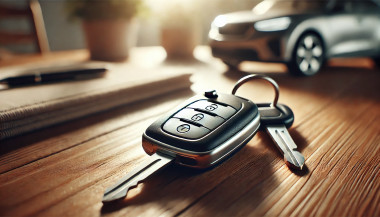
Artificial intelligence isn’t just revolutionizing self-driving cars—it’s also transforming the traditional car key. What once required a physical key is now being replaced by more advanced, secure alternatives. With the rise of smart keys, biometric access, and mobile apps, car keys are becoming increasingly sophisticated.

AI-powered keyless entry systems allow you to unlock and start your car without needing to take a physical key out of your pocket or bag. The car senses your presence and communicates wirelessly to grant access. Additionally, biometric keys such as fingerprint or facial recognition are gaining traction, ensuring that only authorized users can access the vehicle. These systems are nearly impossible to duplicate, offering an unparalleled level of security.

While these innovations add layers of convenience, they also highlight the growing need for professional key replacement services to ensure your car's security isn’t compromised.

Autonomous Vehicles: A Step Toward the Future

The idea of self-driving cars has long been a futuristic concept, but AI is making it a reality. Although fully autonomous vehicles are not yet mainstream, the technology is evolving quickly. AI algorithms are able to process data from sensors, cameras, and radars in real-time, allowing the car to navigate without human input.

While fully autonomous driving has the potential to reduce accidents caused by human error—responsible for over 90% of crashes today—there are still many challenges to overcome. Self-driving cars must be equipped with robust systems capable of handling emergencies and unpredictable situations, which are crucial for ensuring safety.

Even if true autonomy is still a few years away, many modern vehicles already feature semi-autonomous capabilities, such as adaptive cruise control, automatic emergency braking, and automated parking. These features, powered by AI, offer significant improvements in driving safety and convenience.

Predictive Maintenance: Preventing Problems Before They Happen

Imagine a world where your car could tell you when it’s about to break down. With AI, this is becoming a reality. Predictive maintenance, powered by AI, is revolutionizing how we approach vehicle care. AI-driven systems can analyze your car’s performance in real-time, predicting when parts need servicing before they fail.

Examples of Predictive Maintenance:

  • Notifications for upcoming maintenance, such as oil changes or brake pad replacements.
  • Alerts about issues like low tire pressure or a battery nearing its end.
  • Suggestions for repairs based on your driving patterns, reducing the chances of unexpected breakdowns.

By identifying potential issues before they become major problems, AI helps save you time and money, providing a smoother, more reliable driving experience.

Enhanced Driving Experience

AI is not only about improving vehicle performance but also enhancing your overall driving experience. Through smart technologies, driving has become more intuitive and enjoyable. Voice assistants, for example, allow you to control various functions hands-free, from adjusting climate settings to managing calls and navigation.

AI also customizes your vehicle experience based on your preferences. Over time, AI learns your favorite seating positions, climate control settings, and even your regular routes, making every drive more comfortable. With AI-powered infotainment systems, you can enjoy real-time traffic updates, personalized music playlists, and even hands-free control over entertainment choices.

These innovations make driving safer, more enjoyable, and tailored to your individual needs.

Transforming Vehicle Security

The introduction of AI in automotive security is setting new standards. As vehicles become increasingly connected, the potential for cyber threats rises. Fortunately, AI is being implemented to protect against these risks, offering peace of mind for car owners.

AI-enhanced Security Features:

  • Advanced Theft Protection: AI systems can detect unusual activities, like attempted break-ins, and alert you immediately via your smartphone.
  • Geo-fencing: Some vehicles now allow you to create safe zones. If your car moves outside the designated area, you’ll receive an instant notification.
  • Anti-Hacking Measures: As cars become more integrated with the internet, AI helps protect against cyberattacks, ensuring your vehicle's systems remain secure.

These features not only protect your vehicle from theft but also provide you with more control over your car’s safety, no matter where you are.

What This Means for Key Replacements

As AI continues to evolve in the automotive industry, the process of replacing and programming car keys is becoming more complex. Advanced keys, such as those based on biometric authentication or smartphone applications, are more expensive to replace than traditional metal keys. Furthermore, these modern systems require specialized equipment and expertise to program properly.

For car owners, it’s essential to stay informed about your vehicle’s key system. Always keep a spare key on hand and familiarize yourself with emergency unlocking features, so you're prepared if something goes wrong.

Challenges of AI in Cars

While the benefits of AI in automotive innovation are clear, there are also some challenges to consider. AI can drive up the cost of manufacturing and repairs, and adapting to new features can sometimes be overwhelming for drivers.

  • High Costs: Implementing AI technologies in vehicles can increase both the initial price and the cost of repairs.
  • Learning Curve: Some drivers may find it difficult to adapt to new, AI-driven features, especially if they are not technologically inclined.
  • Dependence on Connectivity: Many AI-powered systems require an internet connection, which can be problematic in remote areas or locations with poor service.

Being aware of these challenges will help you navigate the evolving automotive landscape and make informed decisions about your car’s technology.

Embracing the Future of Driving

Artificial intelligence is rapidly transforming the automotive industry, changing everything from how we drive to how we secure and maintain our vehicles. For car owners, these innovations bring immense convenience and enhanced security. But they also require a deeper understanding of the systems that power your car, from keyless entry to semi-autonomous driving features.

As AI continues to develop, staying informed will help you make the best decisions for your lifestyle and budget. Whether you’re exploring new key technologies or considering a fully autonomous vehicle, the future of driving is undeniably shaped by AI—and it’s already here.
Related Posts

Programming Your Car’s Keyless Remote: A Simple Guide for Every Car Owner

Programming Your Car’s Keyless Remote: A Simple Guide for Every Car Owner

When it comes to convenience, car keyless remotes have revolutionized the way we interact with our vehicles. No more fumbling with traditional keys or worrying about locking yourself out. With just a push of a button, you can lock, unlock, and even start your vehicle. But what happens when your keyless remote stops working, or when you need to program a new one? Here’s a simple guide to help you program your car's keyless remote, regardless of your vehicle's make or model. Understanding Keyless Remotes Before jumping into the programming process, it’s important to understand what a keyless remote is and how it works. Essentially, a keyless remote allows you to interact with your vehicle without needing to physically insert a key. Instead of using a traditional metal key, your car’s electronic system communicates wirelessly with the remote, allowing you to lock, unlock, and sometimes even start your vehicle, all with the push of a button. These remotes typically use a radio frequency to communicate with your car, sending a signal that’s encrypted for security. Most modern cars use transponder technology, which makes the system more secure and resistant to hacking or copying. This means that the remote must be properly programmed to your vehicle’s system to function correctly. When Do You Need to Program a Keyless Remote? There are several situations in which you might need to program your keyless remote: Replacing a Lost or Damaged Remote : If you’ve lost your keyless remote or it’s no longer functioning properly, you’ll need to get a replacement. This may require programming the new remote to sync with your vehicle. Adding a New Remote : If you’ve bought an additional keyless remote for your car (for a spouse, child, or other family member), you’ll need to program it so that it works with your vehicle. Battery Replacement : Sometimes, replacing the battery in your remote can cause the programming to reset, meaning you’ll need to reprogram the remote for it to work again. Changing or Resetting Vehicle Settings : Occasionally, vehicle settings or remotes can be reset or reprogrammed as part of regular maintenance, requiring you to program new or additional remotes. How to Program Your Car’s Keyless Remote Programming a keyless remote is easier than you might think, and in most cases, it can be done by following a few simple steps. The process varies slightly depending on the make and model of your car, but here’s a general overview of the steps involved: Get Your New or Replacement Remote : Ensure that your remote is compatible with your car’s system. If you're not sure, you can check with your car's manufacturer or an authorized dealership. Some remotes require specific codes to be programmed. Sit Inside Your Vehicle : For safety and security reasons, most cars require you to be inside the vehicle while programming the remote. Insert the Key in the Ignition : Insert the key into the ignition and turn it to the "ON" position without starting the engine. For cars with push-to-start systems, you may need to press the start button without pressing the brake pedal. Activate the Programming Mode : Depending on your car’s system, you’ll need to follow a sequence of steps to enter programming mode. This could involve turning the key on and off several times, or pressing certain buttons in a specific order. Refer to your vehicle’s manual for the exact steps, as the process can differ from one model to another. Program the Remote : Once your car is in programming mode, you’ll need to press the button on your keyless remote that you want to program. Usually, you’ll hear a chime or see the lights flash, indicating that the remote has been successfully programmed. Some cars may require you to press the button several times to ensure proper synchronization. Test the Remote : After programming, test the remote to make sure it works properly. Try locking and unlocking the doors or starting the engine. If everything works as expected, you’re done! Exit Programming Mode : To finish the process, simply turn off the ignition and remove the key. This should exit programming mode. If you have additional remotes to program, repeat the steps above for each one. What to Do if Programming Doesn’t Work While programming a keyless remote is usually a straightforward process, there are instances where things don’t go as planned. If your remote isn’t syncing with your car after following the steps, here are a few troubleshooting tips: Check the Battery : If the remote’s battery is dead or weak, it won’t transmit the signal to your car. Replace the battery and try programming again. Verify the Compatibility : Make sure that the remote is compatible with your vehicle’s make, model, and year. Some vehicles require special remotes that can only be programmed by the manufacturer or an authorized locksmith. Reset Your Vehicle’s System : In some cases, you might need to reset the car’s system to clear previous programming attempts. Check your owner’s manual or consult a professional for assistance. Consult a Professional : If you continue to have issues, it might be time to visit a dealership or a certified locksmith. These professionals have the tools and experience to program the remote correctly and ensure everything works seamlessly. Why Programming Your Keyless Remote Is Important Programming your keyless remote is a simple but important task that helps ensure your car’s security and convenience. By understanding how the process works and what to do if things go wrong, you’ll be able to troubleshoot and solve any issues quickly. Whether you’re replacing a lost remote or adding a new one to your collection, knowing how to program your remote saves time and money compared to visiting a dealership or locksmith. With the increased reliance on keyless remotes for unlocking and starting vehicles, it’s essential for every car owner to be familiar with this process. By keeping your remote in good working condition and knowing how to program it when necessary, you’ll enjoy a smoother, more efficient experience with your vehicle.

The Importance of Regularly Updating Your Car's Key Fob Software

The Importance of Regularly Updating Your Car's Key Fob Software

In the digital age, vehicle security has evolved beyond traditional locks and keys. Modern cars rely on sophisticated electronic systems, with key fobs playing a crucial role in convenience and safety. However, many car owners overlook the importance of regularly updating their key fob software. Like any other electronic device, key fobs require updates to function optimally and protect against emerging threats. This article explores why keeping your car's key fob software up-to-date is essential for security, functionality, and overall vehicle performance. Enhanced Security Against Keyless Theft One of the primary reasons to update your key fob software is to safeguard your vehicle against hacking and theft. Car thieves have become increasingly tech-savvy, using methods such as relay attacks and key cloning to gain unauthorized access to vehicles. Manufacturers frequently release software updates to counteract these evolving threats, strengthening encryption protocols and implementing new security measures. Regular updates ensure that your vehicle remains protected against the latest hacking techniques, reducing the risk of keyless car theft. Improved Functionality and Performance Software updates do more than just enhance security; they also improve the functionality of your key fob. Updates can optimize the communication between the key fob and the vehicle, ensuring seamless operation of features like remote start, keyless entry, and trunk access. Some updates may also introduce new capabilities, such as extended remote range or better battery efficiency. By keeping your key fob software up to date, you maximize the effectiveness of these features, enhancing your overall driving experience. Fixing Bugs and Resolving Malfunctions Like any software-based system, key fobs can experience glitches or bugs over time. You may notice issues such as delayed responses, intermittent connectivity, or complete failure to unlock or start your car. In many cases, these problems stem from outdated software. Manufacturers release updates to fix such bugs, ensuring that your key fob operates smoothly. If you’ve been experiencing issues with your key fob, checking for software updates is a simple yet effective solution. Compatibility with Newer Vehicle Features Automakers continuously upgrade their vehicle software, adding new safety and convenience features. To ensure compatibility, your key fob software must also stay updated. For example, if your car receives an over-the-air (OTA) update that enhances security protocols, an outdated key fob may no longer function correctly. Keeping both your vehicle and key fob software current ensures seamless integration, preventing functionality issues and maintaining an optimal driving experience. How to Update Your Key Fob Software Updating your key fob software may vary depending on the manufacturer and model of your vehicle. Here are a few common ways to ensure your key fob is up to date: Check the Manufacturer’s Website – Automakers often release software updates for key fobs and other electronic components on their official websites. Look for any available updates specific to your vehicle model. Visit a Dealership or Certified Service Center – Many car manufacturers require key fob updates to be installed at an authorized dealership or service center. Technicians can update your key fob and ensure it is properly synced with your vehicle. Use a Mobile App (If Available) – Some modern car brands offer mobile apps that allow users to update their key fob software remotely. Check if your vehicle’s manufacturer provides such an option. Consult Your Owner’s Manual – Your car’s manual may provide instructions on how to check for key fob software updates and whether they can be performed manually. Regularly updating your car's key fob software is a simple yet crucial step in maintaining vehicle security and functionality. Updates help protect against theft, fix software glitches, and ensure compatibility with new vehicle features. Given the increasing reliance on electronic key systems, staying proactive about updates is essential. Whether through a dealership visit or an online update, keeping your key fob’s software current will help you enjoy a safer and more convenient driving experience. Stay informed, stay updated, and keep your vehicle secure.

How to Install a Hydrogel Navigation Screen Protector

How to Install a Hydrogel Navigation Screen Protector

Nowadays car interiors rely heavily on touchscreens. Whether you drive a BMW 3 Series , VW Golf , Audi A4 , Mercedes A-Class , Peugeot 3008 , or Skoda Octavia , your infotainment display is the centre of navigation, settings, entertainment and safety features. But these screens are also fragile—prone to scratches , fingerprints , micro-abrasions , and glare . A hydrogel navigation screen protector is one of the best ways to protect your car touchscreen without affecting clarity or touch sensitivity. This guide shows you exactly how to install a hydrogel protector , step by step, with expert tips, mistakes to avoid, and a few insider tricks that most guides miss. What Is a Hydrogel Screen Protector? Hydrogel is a soft, self-healing, flexible material used widely in phone protection and now increasingly in automotive displays. Unlike tempered glass, it adapts to curved edges and eliminates small bubbles over time. For more technical background, you can read the scientific definition on hydrogels Hydrogel is ideal for infotainment screen protection because it: Reduces glare Absorbs micro-scratches Maintains full touch sensitivity Adapts to curved and angled car screens Self-heals small marks over 24–48 hours It’s especially useful for European cars where screens are large and glossy, such as: Mercedes MBUX screens (A-Class, C-Class, GLC) Volkswagen MIB systems (Golf, Passat, Tiguan) BMW iDrive displays (3 Series, X1, X3) Audi MMI touchscreens (A4, A3, Q5) Peugeot i-Cockpit models Renault Clio, Captur, Megane Skoda Octavia, Superb, Scala Curious which specific models benefit the most from hydrogel protection? Check out our full guide on which cars benefit most from hydrogel navigation protection . Before You Start: Essential Preparation Installing a hydrogel protector takes only a few minutes, but the preparation stage determines whether the final result looks factory-perfect . You Will Need Hydrogel screen protector Microfiber cloth Screen-cleaning wipe (wet & dry) Dust-removal sticker (optional but recommended) Small squeegee / card Choose the Right Environment Install the protector in: A dust-free space (car parked indoors is ideal) Soft lighting (so dust particles are visible) A still environment (no wind, no blowing air) Avoid doing it outside or while standing near open windows. Step-by-Step: How to Install a Hydrogel Navigation Screen Protector 1. Clean the Navigation Screen Thoroughly Use a wet wipe first, then a dry microfiber cloth. Focus on: Corners Edges Around the frame Any oily fingerprints Tip: Turn the screen off to see dust more easily. 2. Remove All Dust Particles Even one small dust speck can create a permanent bubble. Use: Dust-removal stickers A clean microfiber cloth Hold the screen at an angle and look under the light. If perfectionism matters anywhere, it’s here. 3. Peel the First Protective Layer Most hydrogel protectors have two layers . Peel Layer 1 halfway and align the protector with: Left and right edges Upper frame Any curved edges Do not peel it completely yet. 4. Align and Apply the Protector Once aligned: Press the top centre gently Slowly drag your finger downward Peel off the rest of Layer 1 as you go The film will naturally stick without much force. 5. Use the Squeegee to Push Out Air Work from centre outward , using firm but controlled pressure. Hydrogel is self-healing , so small micro-bubbles usually disappear within 24–48 hours . 6. Remove the Final Top Layer After application: Peel Layer 2 from one corner Pull slowly to avoid lifting the protector This reveals a glossy, clear surface below. 7. Allow 24 Hours for Full Adhesion Do not touch the screen too much during this period. Avoid: Heat exposure Cleaning sprays Aggressive pressing Hydrogel needs time to “settle” and self-heal. Common Mistakes to Avoid Even a perfect protector can be ruined by simple errors. Installing in a dusty environment Fibres, dust and hair easily get trapped. Touching the sticky side This leaves permanent marks. Rushing the alignment Hydrogel is flexible but not stretch-proof. Cleaning with alcohol after installation This can damage the outer coating. Installing on a hot screen Heat weakens adhesion and causes micro-bubbles. For a complete walkthrough , see our guide on how to protect your car’s navigation screen . Why Hydrogel Is Better Than Tempered Glass for Car Screens Tempered glass works well for smartphones—but not for car navigation screens. Hydrogel performs better because: It bends and adapts to curved displays It doesn’t create raised edges It avoids touchscreen sensitivity issues It self-heals micro-abrasions It provides better Anti-Glare performance If you want to see more in depth guide on why hydrogel protectors are better check out our guide on Hydrogel vs Tempered Glass Navigation Protectors Comparison FAQs 1. Does a hydrogel protector reduce screen sensitivity No. Hydrogel maintains full touch responsiveness because the material is soft and pressure-adaptive. 2. Can I reuse a hydrogel screen protector? No. Once removed, it cannot be reinstalled cleanly. 3. How long do micro-bubbles take to disappear? Usually 24–48 hours. Stubborn ones may take up to 72 hours if the screen is curved. 4. Will the protector affect brightness or clarity? High-quality hydrogel preserves original screen clarity. Matte versions reduce glare but may slightly soften reflections. 5. Is hydrogel safe for anti-reflective or coated screens? Yes. Hydrogel adhesive is gentle and does not damage coatings. If you want premium hydrogel protectors for BMW, Audi, Mercedes, VW, Peugeot, Renault, Skoda and more, explore our full selection today. Visit our shop at mr-key.com Related Guides Which cars benefit most from hydrogel navigation protection How to Protect Your Car’s Navigation Screen from Scratches,Glare & Fingerprints Hydrogel vs Tempered Glass Navigation Protectors Comparison

How to Protect Your Car’s Navigation Screen from Scratches, Glare & Fingerprints

How to Protect Your Car’s Navigation Screen from Scratches, Glare & Fingerprints

Modern cars often pack large touchscreens into the dash, and keeping these displays clear is key to enjoying every drive. A single scratch or dirty spot can make maps and menus hard to read. Car insurers warn that infotainment screens are surprisingly fragile – even a small dent or scratch can disable parts of the system . Worse, replacing a built-in navigation unit can cost thousands and take weeks . The good news? A little proactive care goes a long way. Interior dashboards are loaded with touchscreens that easily pick up scratches and smudges. For example, a high-quality navigation screen protector can shield your display from daily wear . These protectors are often made of tough 9H-tempered glass with an oleophobic coating (to repel fingerprints) and an anti-glare matte finish . A properly fitted protector keeps your screen looking brand-new and makes cleaning simpler. Invest in a Quality Screen Protector Choose the right fit Get a protector cut for your car’s make and model so it covers the entire display without blocking cameras or buttons. Hydrogel protector over tempered glass A hydrogel navigation screen protector is the best modern option for car screens. Unlike tempered glass, hydrogel film is flexible, ultra-thin, and self-healing — meaning small scratches disappear on their own over time. Hydrogel also fits curved or irregular screens better, doesn’t crack or chip like glass, and offers excellent clarity with strong anti-scratch and anti-glare properties. It maintains perfect touch sensitivity and blends seamlessly with the original display. To understand the real differences between hydrogel film and tempered glass — and which one offers the best long-term protection for your car — check out our detailed comparison guide: Hydrogel vs Tempered Glass Navigation Protectors Comparison . Anti-glare & oleophobic coatings Many navigation screen protectors include a matte, anti-glare surface. This scatters harsh sunlight and helps repel fingerprints and oil. (Some even advertise oleophobic layers that resist smudges.) Installation matters Follow the instructions carefully (clean the screen first, align the film, and smooth out bubbles). A misaligned or bubbled protector can itself cause visibility issues. Installing a car screen protector isn’t just about preventing scratches. It also helps maintain screen clarity over time. As one Tesla owner discovered, adding a new glass protector made even a worn, glare-prone screen “look almost new again” If you’ve already chosen a hydrogel protector and want to install it correctly, follow our step-by-step guide on how to install a hydrogel navigation screen protector . Clean Your Screen the Right Way Fingerprints, dust and grease are everyday enemies of visibility. But cleaning improperly can do more harm than good. Follow these expert tips: Use a microfiber cloth Wipe the screen with a soft, clean microfiber towel – even better if it’s dedicated just to your screen . This gentle fabric removes oils without scratching the glass. Spray cleaner on the cloth, not the screen If you need liquid cleaning, lightly mist it onto the cloth first. Never spray cleaners or water directly onto the touchscreen . Too much liquid or harsh chemicals can seep into seams or damage any oleophobic coatings. Avoid household glass cleaners Standard window cleaners (with ammonia or alcohol) can strip away protective coatings or damage the display . In fact, Car and Driver cautions that you should “avoid using household glass cleaner on your car’s touchscreen” unless you know it’s ammonia- and alcohol-free . Use fresh wipes Always use a clean side of your cloth or a new wipe on the screen. AGWS (an auto insurer) advises against using a cloth or wipe that’s already been on the dashboard or door panels – it can transfer grit and actually scratch the display Detail with precision If dirt or fingerprints linger, dampen the cloth with plain water or a gentle, screen-safe cleaner and buff in small circles. For stubborn spots, a second dry pass with the microfiber cloth will remove streaks. Wipe smudges away with a soft cloth – spraying cleaner on the cloth, not on the screen . Clean your screen each time you wash the car, or whenever you notice foggy patches. In fact, one test found that many “interior detailer” sprays (like Chemical Guys or Meguiar’s) can work just as well as specialized screen cleaners if they’re labeled safe for screens. Reduce Sunlight Glare Glare is one of the biggest complaints with modern car touchscreens. It makes maps hard to read, increases eye strain, and leads to drivers pressing harder on the display—over time, this causes wear and visible marks. To reduce glare: Install a matte hydrogel screen protector Adjust the display’s brightness and contrast Avoid cleaning with shiny or oily cloths Park with the dashboard away from intense sunlight when possible Hydrogel films help significantly because they diffuse harsh reflections without dulling the screen. Prevent Fingerprints and Smudges Touchscreens are fingerprint magnets. Oils from your hands quickly accumulate on the surface, especially on climate controls or zoom gestures. Solutions that actually work: Oleophobic coatings (built into many hydrogel protectors) Regular microfiber wipe-downs Avoid touching the screen with sunscreen or lotion on your hands Use voice commands for common actions when possible Drivers notice a big difference after installing a car navi screen protector—much fewer smudges and much easier cleaning. Protect the Screen During Everyday Use Small habits reduce long-term wear: Remove rings before using the touchscreen Don’t store hard objects (keys, coins) near the display Keep dust off the dashboard Avoid pressing with fingernails Use steering-wheel controls when possible Tiny scratches add up, especially on softer automotive materials. FAQ What is the best way to protect a car navigation screen? Installing a car-specific hydrogel screen protector provides the best protection against scratches, glare and fingerprints. Do hydrogel protectors really self-heal? Yes. The top layer softens slightly with heat and pressure, allowing micro-scratches to fade within minutes. Do these protectors affect touch sensitivity? No. Hydrogel films are extremely thin and designed to preserve the original touchscreen response. Can I install a screen protector myself? Hydrogel films are easy to install because they are flexible and bubble-resistant. Most people complete the installation in minutes. Will a protector reduce screen brightness? A high-quality hydrogel film maintains screen clarity while reducing harsh glare. Do car manufacturers recommend screen protectors? Many dealerships now advise using some form of screen protection due to rising replacement costs and increasing touchscreen sizes. Which Cars Benefit Most Some car brands benefit disproportionately from hydrogel screen protection — especially large-format touchscreens in premium models. If you want the full breakdown of the top models for 2025–2026, see our detailed guide on which cars benefit most from hydrogel navigation protection . To protect your own car’s screen from scratches, glare and fingerprints, visit our shop at mr-key.com . Related Guides How to Install a Hydrogel Navigation Screen Protector Which Cars Benefit Most From Hydrogel Navigation Protection? (2026 Overview) Hydrogel vs Tempered Glass Navigation Protectors Comparison

Chat with us