Post Name

Have you lost your Westfalia towbar key just before a long-planned trip or an important towing job? Don’t worry, you’re not alone. Every year, thousands of drivers face the same issue: the towbar key disappears right when it's needed most.

Westfalia detachable towbar keys are usually used only a few times per year – often for summer holidays, camping trips, towing, or moving. Because they are used so rarely, they often get forgotten for months. It's easy to lose track of where they were last placed: in the glove compartment, a drawer in the garage, or a coat pocket?

Fortunately, there's a simple solution – without having to replace the entire towbar system.
Step 1: Check the Lock Cylinder for a 5-Digit Code

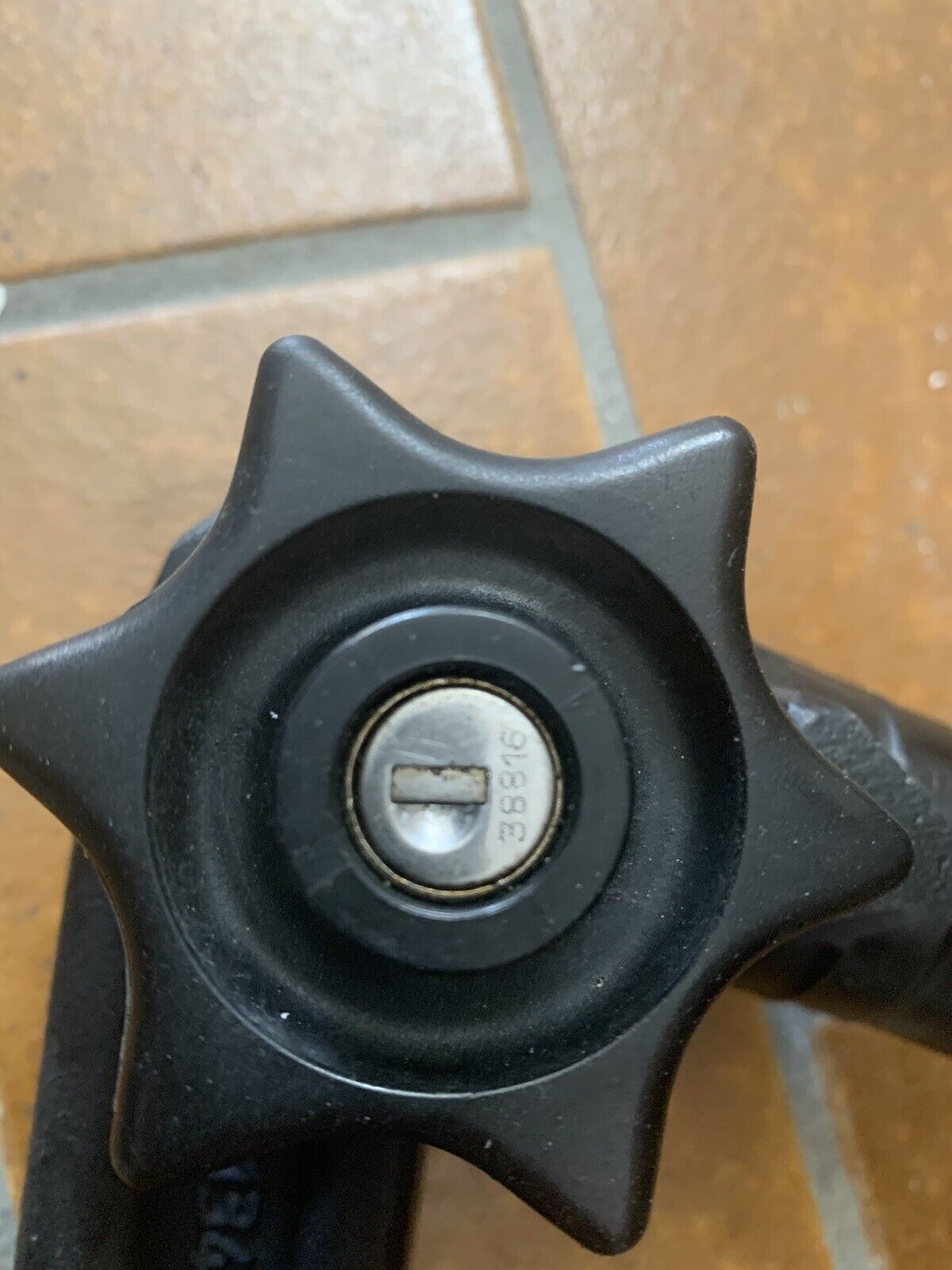
Take a close look at the front of your Westfalia towbar lock, around the keyhole. Many models have a 5-digit code engraved directly into the metal.

If the code is between 20000 and 50000, it is your personal key code.

This code allows professional key services (like MR-KEY) to create a perfectly matched replacement key – without the original.

Examples of valid codes:

23456

27891

49821

You can enter this code directly into an online order form.

Order a replacement key here:

https://mr-key.com/cat/towbars-keys


What if You Only See 3 Digits?

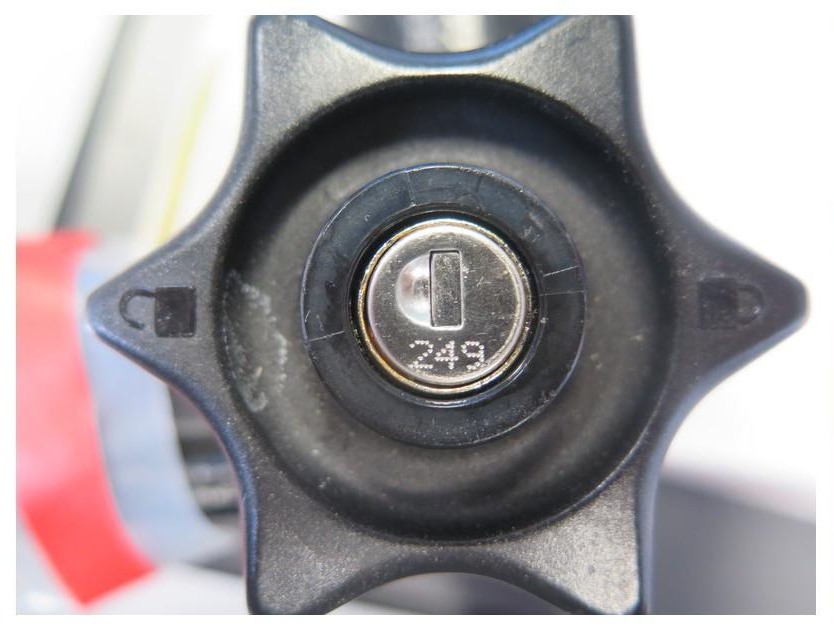
Sometimes, you might only find a 3-digit number on the lock body (e.g., 104, 287). Unfortunately, these numbers are not valid key codes. They usually refer to batch numbers or internal components.
In this case, we recommend:

Conducting a thorough search for the original key (glove compartment, toolbox, jacket pockets, etc.)

If the key cannot be found, consider replacing the towbar locking mechanism


Tip: Make a Spare Key While You Still Can

If you still have your original Westfalia towbar key, now is the perfect time to make a copy.

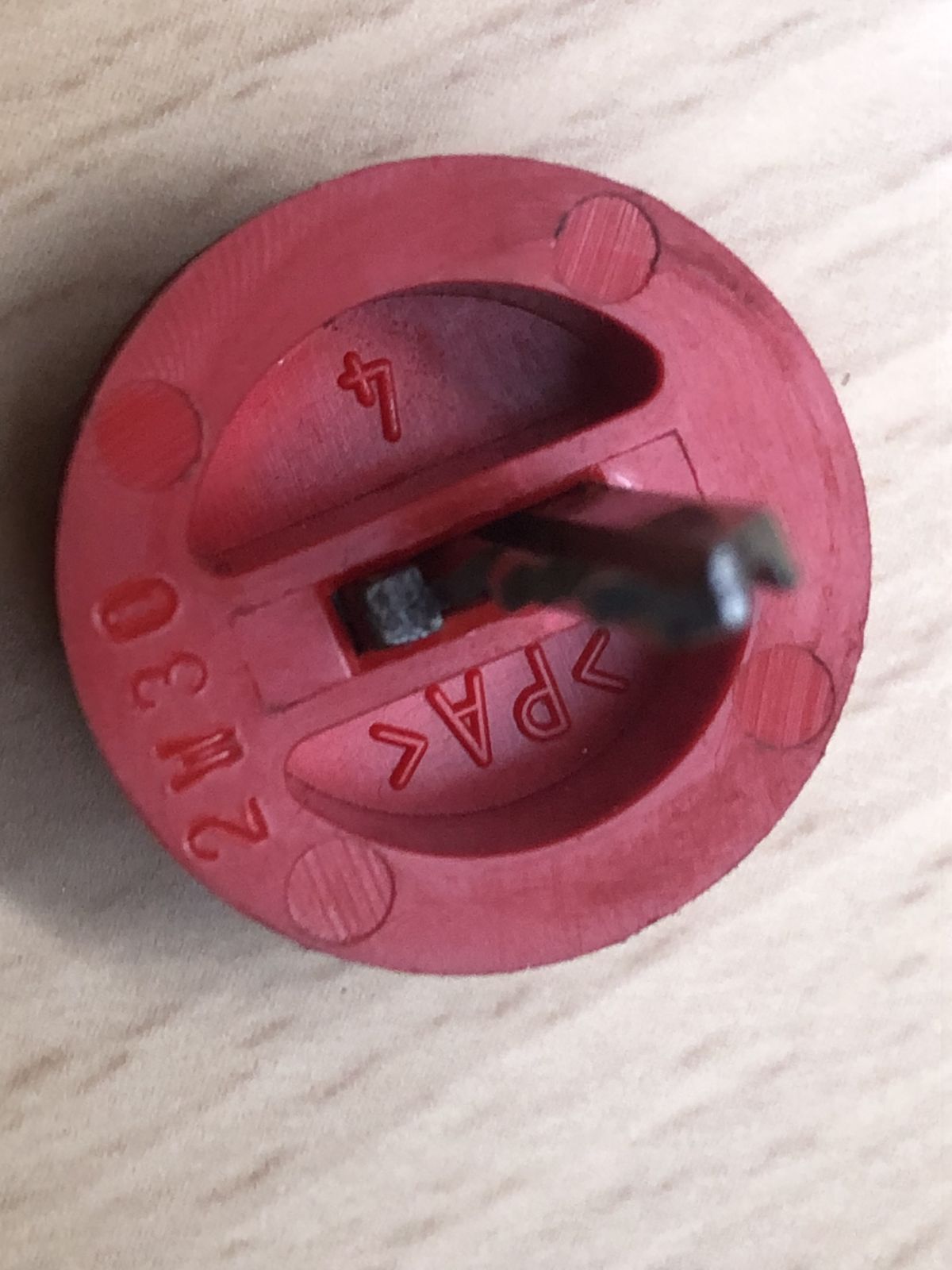
Many Westfalia keys show a code like: 2W01 to 2W50

This code is usually engraved on the metal shaft of the key and matches your towbar lock. With this code, we can quickly and affordably produce a precise duplicate.

Why make a spare key?

Avoid last-minute panic before departure

Reduce costs by preventing lock replacement

Fast delivery when ordering by code

Order here: https://mr-key.com/cat/towbars-keys


Fast and Professional Westfalia Key Service

At MR-KEY, we specialize in duplicating Westfalia towbar keys by code. Our service is fast, precise, and hassle-free:

Simply provide the 5-digit lock code (20000–50000)

We cut the key using high-precision machines

Every key is checked before shipping

In most cases, shipping is completed within 24 hours.


Quick Overview

SituationCan a New Key Be Made?What to Do
5-digit code on the lock (20000–50000)YesOrder a key by code
Only 3-digit number on the lockNoSearch for the key or replace the lock
Original key with "2W" code presentYesHave a spare key made


Tips: How to Avoid Losing Your Key in the Future

To avoid ending up in this situation again, follow these simple tips:

Store your spare key in your vehicle documents folder or glove box

Label your keychain with "Towbar" for easy identification

Take a photo of your key code and save it on your phone or in the cloud

These small steps can save you time, stress, and money.


Losing your Westfalia towbar key doesn't have to ruin your travel plans. As long as your lock has a valid 5-digit code between 20000 and 50000, a replacement key can be made and shipped quickly.

And if you still have the original key? Make a copy now – a small investment for long-term peace of mind.

Order your Westfalia replacement key now:
https://mr-key.com/cat/towbars-keys

Safe travels!

Related Posts

How to Take the Perfect Photo of Your Key for Easy Replacement

How to Take the Perfect Photo of Your Key for Easy Replacement

When you need a replacement key , taking a clear, detailed photo of your key can make the process much faster and more accurate. A high-quality image helps key makers understand the exact specifications, cuts, and dimensions of your key, which is especially important if you don’t have a spare. In this guide, we’ll walk you through the best practices for photographing your key so you can get an accurate replacement with ease. Why a Clear Key Photo Matters Photographing a key might sound simple, but it requires a bit of attention to detail. A well-taken photo captures the key’s grooves and unique cuts clearly, helping the key cutter replicate the exact pattern. Saves Time : A high-quality photo reduces the need for multiple attempts to cut a new key . Ensures Accuracy : Clear images help capture specific details, leading to a more precise fit. Convenient Process : With just a smartphone and a few tips, you can photograph your key from home without needing special equipment. Essential Tools for Photographing Your Key To take a clear photo of your key, you don’t need much beyond a few household items. Here’s what you’ll need: Smartphone or Camera : A phone camera is usually sufficient, but a standard digital camera works well too. Plain Background : Choose a neutral, solid-colored background like a piece of white paper or a smooth table surface. Good Lighting : Natural daylight or a bright room light helps capture details without shadows. Small Object for Elevation : A coin or similar item can lift the key slightly, making it easier to photograph. Step-by-Step Guide to Taking the Perfect Key Photo Follow these steps to take a photo that ensures clarity and accuracy for key replacement. 1. Set Up the Background Place a piece of plain white paper or another smooth, light-colored surface under your key. The solid color helps the details of the key stand out without any visual distractions. Tip : Avoid backgrounds with patterns or textures, as these can obscure the key’s features. 2. Position the Key Correctly Lay the key flat on the background, with the grooves and cuts facing up. The key should be positioned horizontally to allow a clear view of all its details. Side Profile : Make sure to capture the side profile that shows the cuts and grooves. Elevate Slightly : Place a coin or small object under one end of the key to angle it slightly toward the camera. This can help reduce shadows and improve focus on the cuts. 3. Adjust Lighting Good lighting is essential for capturing details. If possible, photograph your key in natural daylight near a window or use a well-lit room. Avoid Shadows : Ensure that no shadows fall across the key, as they can obscure details. Diffuse Light : If using a lamp, consider placing a thin cloth over it to diffuse the light and reduce harsh reflections. 4. Focus and Zoom Make sure your camera or smartphone is focused directly on the key. You may need to tap the screen to bring it into sharp focus. Zoom in Carefully : If you’re using a smartphone, zoom in slightly to capture the details, but avoid over-zooming, which can blur the image. Test Multiple Angles : Sometimes a slight adjustment in angle can capture the cuts more effectively, so take a few shots from slightly different perspectives. 5. Capture Multiple Photos It’s always a good idea to take several photos to ensure you have the best one. Try different angles and lighting adjustments to capture as many details as possible. Close-Up of the Grooves : Take one close-up image focusing on the cuts and grooves of the key. Overall Image : Include one full-length photo that shows the entire key from end to end. Try Different Angles : Slightly tilt the key or move the camera to see which angle best captures the detail of the cuts. Common Mistakes to Avoid When Photographing Your Key To get the best results, steer clear of these common issues that can impact the quality of your key photo: Blurry Images : If your hand shakes, use a small tripod or prop your phone on a stable surface. Poor Lighting : Avoid taking photos in dim rooms; use bright light to ensure the key is clearly visible. Obstructed Details : Make sure the entire length of the key is visible, without any part being cut off or covered. Tips for Ensuring a Smooth Replacement Process Once you have a clear photo of your key, there are a few final steps to make the replacement process as efficient as possible. Check the Photos : Look over your photos before sending them to ensure that they’re clear and detailed. Label the Key : If you’re photographing multiple keys, label each one in the image or add a note to avoid confusion. Include Measurements : If possible, add the measurements of the key’s length and width in your notes for added accuracy. A clear, detailed photo of your key can save you time and effort when seeking a replacement. By following these simple steps, you’ll provide all the necessary details to ensure your new key is an accurate match. Remember, good lighting, focus, and capturing all the unique cuts are essential to achieving the best results. With these guidelines, you’re set to take a photo that will make your key replacement process smooth and hassle-free.

Car Key Fobs Explained: How They Work and Why They’re Essential

Car Key Fobs Explained: How They Work and Why They’re Essential

In today’s world, unlocking your car or starting the engine has never been easier. With a simple press of a button, the days of fumbling for traditional keys are behind us. Car key fobs are the modern solution that offer a blend of convenience, security, and technology. But how do these small, often overlooked devices work, and why are they so crucial in today’s automotive world? In this blog, we will dive into the mechanics of car key fobs, their benefits, and why you should understand their functionality. The Evolution of the Car Key Fob Car key fobs, as we know them today, are a far cry from the traditional metal keys that dominated the automotive world for centuries. The shift from traditional keys to key fobs began in the 1980s and 1990s, as automakers sought more efficient and secure ways to unlock vehicles and enable keyless entry. The first remote keyless entry (RKE) systems were introduced to the market in the 1980s. These systems allowed car owners to unlock their doors remotely without inserting a physical key. Over time, the technology evolved further, incorporating additional functions like starting the engine, opening the trunk, and even controlling the vehicle’s security systems—all from a single device. Today, most new vehicles come equipped with key fobs, and many modern models include advanced features like proximity sensing and even remote start capabilities. How Do Car Key Fobs Work? Car key fobs operate on radio frequency identification (RFID) or infrared (IR) technology to communicate with the car’s locking system. The process is relatively simple but requires precise technology to ensure security and functionality. Radio Frequency Communication (RF) : When you press a button on your key fob, it sends out a low-frequency signal to the car's receiver. This signal contains encrypted information, such as the command to unlock the doors or start the engine. The receiver in the car decodes the signal and executes the command. Encryption for Security : One of the key benefits of car key fobs is the security they offer. The signal transmitted by the fob is encrypted, making it difficult for hackers or thieves to intercept and clone the signal. In addition, many fobs are programmed with rolling codes, meaning the signal changes each time the fob is used, further reducing the risk of duplication. Proximity Sensors and Keyless Entry : Modern key fobs often include proximity sensors, which allow the car to detect when the fob is nearby. This enables keyless entry systems that unlock your car automatically as you approach. The fob only needs to be within a certain range—often just a few feet—for the car to recognize it. Battery-Powered : Key fobs rely on small batteries to function. Most key fobs use lithium coin cell batteries, which typically last between one and five years, depending on usage. The battery powers the transmitter, receiver, and any additional features (such as a display or remote start). Why Are Car Key Fobs Essential? In addition to their basic function of locking and unlocking a car, key fobs have become essential components for vehicle security and convenience. Below are several reasons why these devices are more than just an accessory: 1. Enhanced Security As vehicle theft has evolved, so too has the need for better security measures. Traditional car keys are relatively easy to copy, especially for older models. In contrast, key fobs provide far superior protection due to their encrypted signals and rolling code technology. This makes them much harder to duplicate or hack. Moreover, many key fobs are linked to sophisticated alarm systems. If an unauthorized attempt is made to start the vehicle without the fob’s signal, an alarm will sound, and the engine will not start. This extra layer of security significantly reduces the chances of vehicle theft. 2. Convenience and Ease of Use The days of manually unlocking a car with a metal key are long gone. Key fobs offer unprecedented convenience. With a simple button press, you can lock or unlock your doors, open the trunk, and even start the engine without removing the fob from your pocket or bag. This hands-free operation makes accessing your vehicle faster and easier, especially when carrying groceries or dealing with inclement weather. The proximity sensing technology also adds an extra layer of convenience, allowing you to unlock and start your car without needing to press any buttons—ideal for those busy days when you’re juggling multiple tasks. 3. Keyless Entry and Remote Start One of the most exciting features of modern car key fobs is the keyless entry and remote start functionality. These features have revolutionized how people interact with their vehicles. Keyless entry allows you to enter your car simply by being in close proximity, while remote start lets you start the engine from a distance, often via a smartphone app or by pressing a button on the fob itself. Remote start is particularly useful during the winter months. It allows you to start the car in advance, so the engine and cabin are warmed up before you even step inside. Similarly, in hot climates, remote start can be used to cool the cabin, making the car more comfortable when you enter. Global Adoption and Future Trends Car key fobs have become a global standard, with nearly all major automakers offering this feature in their vehicles. As more people embrace technology, the demand for even smarter key fobs continues to rise. In the future, we are likely to see further advancements in key fob technology. For instance, some manufacturers are already exploring biometric security features, such as fingerprint or facial recognition, to enhance the security of key fobs even further. Additionally, smartphone integration is becoming more widespread, allowing car owners to use their phones as key fobs, eliminating the need for a physical device altogether. While car key fobs have transformed the automotive landscape, they also raise new concerns, particularly regarding privacy and hacking risks. As technology advances, automakers and tech companies will need to stay ahead of potential security vulnerabilities to ensure that key fobs continue to serve as effective and secure tools for car owners. Car key fobs are no longer just a convenience—they have become an essential part of modern car ownership. From enhanced security features to the convenience of keyless entry and remote start, key fobs offer a range of benefits that make them indispensable for drivers around the world. As technology continues to evolve, we can expect even more advanced features to be integrated into future key fobs, further improving both convenience and security. Understanding how key fobs work and why they’re important is crucial for anyone who wants to make the most of their vehicle's technology. As we look to the future, it’s clear that key fobs will continue to play a central role in how we access and interact with our cars—an innovation that started with simple remote locking and has now become a vital aspect of our daily driving experience.

How to Install a Hydrogel Navigation Screen Protector

How to Install a Hydrogel Navigation Screen Protector

Nowadays car interiors rely heavily on touchscreens. Whether you drive a BMW 3 Series , VW Golf , Audi A4 , Mercedes A-Class , Peugeot 3008 , or Skoda Octavia , your infotainment display is the centre of navigation, settings, entertainment and safety features. But these screens are also fragile—prone to scratches , fingerprints , micro-abrasions , and glare . A hydrogel navigation screen protector is one of the best ways to protect your car touchscreen without affecting clarity or touch sensitivity. This guide shows you exactly how to install a hydrogel protector , step by step, with expert tips, mistakes to avoid, and a few insider tricks that most guides miss. What Is a Hydrogel Screen Protector? Hydrogel is a soft, self-healing, flexible material used widely in phone protection and now increasingly in automotive displays. Unlike tempered glass, it adapts to curved edges and eliminates small bubbles over time. For more technical background, you can read the scientific definition on hydrogels Hydrogel is ideal for infotainment screen protection because it: Reduces glare Absorbs micro-scratches Maintains full touch sensitivity Adapts to curved and angled car screens Self-heals small marks over 24–48 hours It’s especially useful for European cars where screens are large and glossy, such as: Mercedes MBUX screens (A-Class, C-Class, GLC) Volkswagen MIB systems (Golf, Passat, Tiguan) BMW iDrive displays (3 Series, X1, X3) Audi MMI touchscreens (A4, A3, Q5) Peugeot i-Cockpit models Renault Clio, Captur, Megane Skoda Octavia, Superb, Scala Curious which specific models benefit the most from hydrogel protection? Check out our full guide on which cars benefit most from hydrogel navigation protection . Before You Start: Essential Preparation Installing a hydrogel protector takes only a few minutes, but the preparation stage determines whether the final result looks factory-perfect . You Will Need Hydrogel screen protector Microfiber cloth Screen-cleaning wipe (wet & dry) Dust-removal sticker (optional but recommended) Small squeegee / card Choose the Right Environment Install the protector in: A dust-free space (car parked indoors is ideal) Soft lighting (so dust particles are visible) A still environment (no wind, no blowing air) Avoid doing it outside or while standing near open windows. Step-by-Step: How to Install a Hydrogel Navigation Screen Protector 1. Clean the Navigation Screen Thoroughly Use a wet wipe first, then a dry microfiber cloth. Focus on: Corners Edges Around the frame Any oily fingerprints Tip: Turn the screen off to see dust more easily. 2. Remove All Dust Particles Even one small dust speck can create a permanent bubble. Use: Dust-removal stickers A clean microfiber cloth Hold the screen at an angle and look under the light. If perfectionism matters anywhere, it’s here. 3. Peel the First Protective Layer Most hydrogel protectors have two layers . Peel Layer 1 halfway and align the protector with: Left and right edges Upper frame Any curved edges Do not peel it completely yet. 4. Align and Apply the Protector Once aligned: Press the top centre gently Slowly drag your finger downward Peel off the rest of Layer 1 as you go The film will naturally stick without much force. 5. Use the Squeegee to Push Out Air Work from centre outward , using firm but controlled pressure. Hydrogel is self-healing , so small micro-bubbles usually disappear within 24–48 hours . 6. Remove the Final Top Layer After application: Peel Layer 2 from one corner Pull slowly to avoid lifting the protector This reveals a glossy, clear surface below. 7. Allow 24 Hours for Full Adhesion Do not touch the screen too much during this period. Avoid: Heat exposure Cleaning sprays Aggressive pressing Hydrogel needs time to “settle” and self-heal. Common Mistakes to Avoid Even a perfect protector can be ruined by simple errors. Installing in a dusty environment Fibres, dust and hair easily get trapped. Touching the sticky side This leaves permanent marks. Rushing the alignment Hydrogel is flexible but not stretch-proof. Cleaning with alcohol after installation This can damage the outer coating. Installing on a hot screen Heat weakens adhesion and causes micro-bubbles. For a complete walkthrough , see our guide on how to protect your car’s navigation screen . Why Hydrogel Is Better Than Tempered Glass for Car Screens Tempered glass works well for smartphones—but not for car navigation screens. Hydrogel performs better because: It bends and adapts to curved displays It doesn’t create raised edges It avoids touchscreen sensitivity issues It self-heals micro-abrasions It provides better Anti-Glare performance If you want to see more in depth guide on why hydrogel protectors are better check out our guide on Hydrogel vs Tempered Glass Navigation Protectors Comparison FAQs 1. Does a hydrogel protector reduce screen sensitivity No. Hydrogel maintains full touch responsiveness because the material is soft and pressure-adaptive. 2. Can I reuse a hydrogel screen protector? No. Once removed, it cannot be reinstalled cleanly. 3. How long do micro-bubbles take to disappear? Usually 24–48 hours. Stubborn ones may take up to 72 hours if the screen is curved. 4. Will the protector affect brightness or clarity? High-quality hydrogel preserves original screen clarity. Matte versions reduce glare but may slightly soften reflections. 5. Is hydrogel safe for anti-reflective or coated screens? Yes. Hydrogel adhesive is gentle and does not damage coatings. If you want premium hydrogel protectors for BMW, Audi, Mercedes, VW, Peugeot, Renault, Skoda and more, explore our full selection today. Visit our shop at mr-key.com Related Guides Which cars benefit most from hydrogel navigation protection How to Protect Your Car’s Navigation Screen from Scratches,Glare & Fingerprints Hydrogel vs Tempered Glass Navigation Protectors Comparison

5 Signs Your Car Key Battery Needs Replacement – Don’t Get Locked Out!

5 Signs Your Car Key Battery Needs Replacement – Don’t Get Locked Out!

Have you ever pressed your car key fob multiple times without an immediate response? It’s frustrating, right? A drained key fob battery can cause unexpected issues, and if you don’t replace it in time, you might find yourself locked out of your car at the worst moment. Fortunately, there are some telltale signs that indicate your car key battery is running low – and replacing it is a quick and cost-effective fix. Your car key is one of the most essential accessories you use daily, yet we often overlook its maintenance. While it may seem small, the proper functioning of your key fob is crucial for your convenience and security. Here are five signs that it’s time to replace your key battery before it stops working completely. 1. Your Key Works Intermittently One of the first signs of a weakening battery is an inconsistent key fob response. If it works fine sometimes but requires multiple button presses at other times, the battery is likely running low. A new battery will restore the key’s normal sensitivity. This issue can be especially frustrating when you're in a hurry or carrying items and need your car to unlock instantly. If you notice your key fob working intermittently, don’t wait until you get locked out—replace the battery promptly. 2. The Signal Range Has Decreased A brand-new car key fob allows you to lock and unlock your vehicle from a considerable distance. If you’ve noticed that you now need to be much closer for the key to work, this is a clear sign that the battery is weakening. Modern key fobs can control your vehicle from as far as 15 meters or more. When you find yourself needing to be right next to the car for it to respond, it’s time to replace the battery. A weak signal can lead to access and ignition problems, which can be inconvenient in daily use. 3. You Need to Press the Buttons Harder A properly functioning car key should respond immediately to a simple press of a button. If you need to press harder or hold the button longer for it to work, the battery is no longer providing enough power to send a strong signal. Beyond just being inconvenient, this can also damage the key fob itself due to increased pressure on the electronic components. Replacing the battery will help you avoid additional wear and tear and ensure your key works smoothly without extra effort. 4. Your Car No Longer Recognizes the Key For vehicles with push-button start systems, the key fob must be close enough for the car to detect it. If your car struggles to recognize the key and you have to bring it closer to the dashboard or ignition button, this is a clear sign of a low battery. This can be particularly annoying on rainy days or when you’re in a hurry. A properly functioning key fob should allow seamless use of your vehicle without delays or the need to adjust its position. 5. The Key Stops Working Completely If your key fob suddenly stops working and you have ruled out other possible causes, such as a damaged circuit or faulty buttons, the battery is most likely completely drained. Before you panic and assume the key fob is broken, try replacing the battery first. It’s a simple and inexpensive solution that restores your key’s functionality in seconds. How to Replace Your Car Key Battery Changing your car key battery is usually a straightforward task that only requires a small screwdriver and a new CR2032 battery. Locate the seam along the key fob’s edge and carefully pry it open. Remove the old battery and observe its position, then insert the new battery in the same orientation. In less than five minutes, your key will work like new again. There’s no need to spend money on a replacement key when a battery swap is a quick and affordable fix. Don’t Wait Until It’s Too Late! Preventative maintenance is key to avoiding unnecessary hassles. If your key is showing signs of weakness, don’t ignore them! Replace the battery in time and ensure your vehicle operates flawlessly.

Chat with us