
Post Name

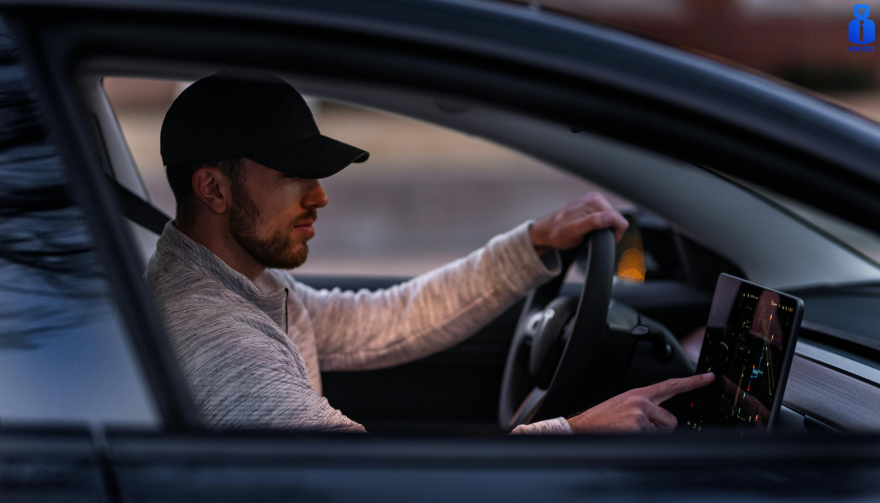
Modern cars rely heavily on large navigation and infotainment screens. These displays are used constantly and exposed to scratches, fingerprints, dust, heat and direct sunlight. Repairs are expensive, and replacement screens can cost several hundred euros. A hydrogel screen protector adds a thin, flexible layer that guards the display without affecting clarity or touch response.
Premium and Luxury Models


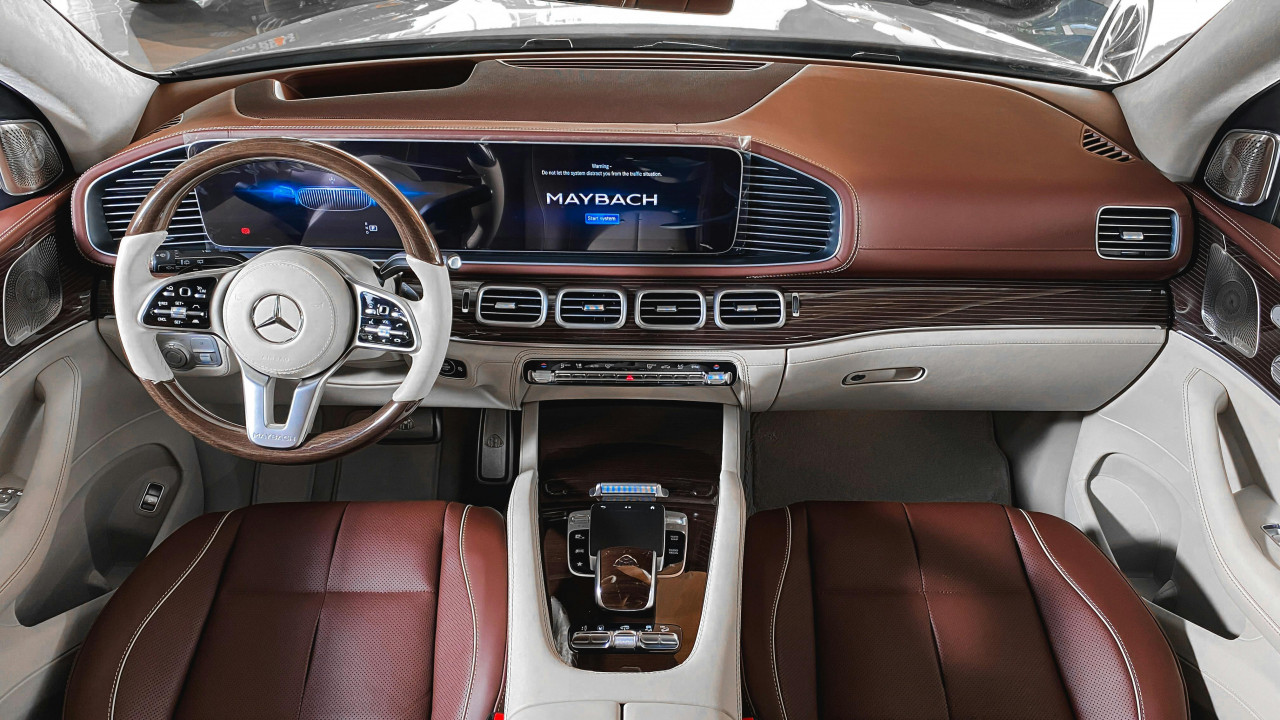
Premium brands adopted large infotainment screens early, making them among the most likely to benefit.

BMW models such as the 3 Series, 5 Series and X5 use wide, high-resolution displays (up to 14.9”).

Audi cars like the A4, A6 and Q5 include 10–12” touchscreens.

Mercedes-Benz models such as the C-Class, E-Class and GLC use vertically oriented 11–12” MBUX screens.

Porsche vehicles (Cayenne, Macan, Panamera) and Tesla models (Model 3, Y, S) use some of the largest screens in Europe.

These vehicles benefit significantly from a hydrogel protector thanks to their large surfaces and frequent touch use.

Popular European Models


Mainstream European cars now feature screens as large as luxury models.

Volkswagen offers 10–15” displays in models such as the Golf, Tiguan and Passat.

Škoda uses up to 13” screens in the Octavia, Superb and Kodiaq.

Dacia equips models like the Jogger, Duster and Sandero with 7–10” displays.

Toyota (Corolla, RAV4, Yaris Cross).

 Renault (Captur, Clio, Megane E-Tech).

Peugeot (208, 3008, 5008)

 Citroën (C4, C5 Aircross)

 Nissan (Qashqai, Juke, Leaf) 

Ford (Focus, Kuga)

Kia (Sportage, Ceed, Niro, Picanto, Stonic, Rio, Sorento)

all rely on large central touchscreens.

As screens grow in size across all price segments, protection becomes increasingly important.

Benefits of Hydrogel Screen Protectors


Hydrogel film is thin, flexible and adheres tightly. It works on flat and curved surfaces where tempered glass cannot. The material absorbs small impacts and can self-heal minor marks. With its anti-glare properties It keeps the display clear, maintains original brightness and preserves smooth touch performance. It also helps reduce smudges and makes daily cleaning easier.

Once you’ve chosen a hydrogel protector for your car, the next step is applying it correctly. Follow our step-by-step guide on how to install a hydrogel navigation screen protector for a perfect bubble-free result.
Who Needs Hydrogel Protection the Most?


Any car with:

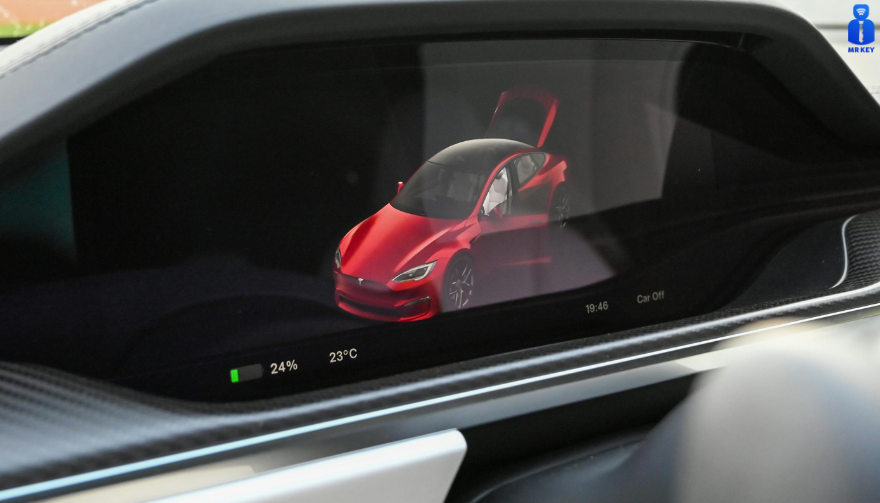
a large touchscreen (8” or more)

glossy glass prone to fingerprints

curved edges

high cabin sun exposure

Hydrogel is especially useful for daily drivers, family cars and vehicles where multiple people interact with the system.

Rental, Company and Service Vehicles Benefit Even More


Cars used for business—such as rental cars, company vehicles, fleet cars, taxis, and service vehicles—experience significantly higher daily usage than private cars. Their navigation screens are touched constantly by different drivers, exposed to dust, temperature changes and frequent cleaning.

Because of this heavy wear, screens in rental and company vehicles are far more likely to show scratches, fingerprints and long-term damage. A hydrogel dashboard screen protector adds a durable layer that absorbs daily abuse, keeps the display clear for every driver and reduces maintenance costs for fleet managers.

For any vehicle that is shared or driven by multiple users, screen protection is not just useful—it’s essential.


FAQ


What is a hydrogel screen protector?

A thin, flexible film that protects a car’s navigation or dashboard display.

How is it installed?

Clean the screen, align the film and press it down. Dry installation is recommended.

What are the benefits?

Scratch resistance, impact absorption, reduced fingerprints and full coverage on curved screens.

Is it compatible with all cars?

Yes, if you choose a protector cut for your specific model.

Does it affect touch response?

No. Hydrogel keeps full touch accuracy.

How long does it last?

Usually 1–3 years, depending on use. Easy to replace.

Hydrogel vs tempered glass?

Hydrogel fits curved screens and absorbs impacts. Glass is harder but can crack and does not cover complex shapes. For more in depth guide check out Hydrogel vs Tempered Glass Navigation Protectors Comparison

How can I protect my car’s navigation screen from scratches and fingerprints?

If you want to know more about How to Protect Your Car’s Navigation Screen from Scratches and Fingerprints check out our guide.


Visit mr-key.com to find a custom-cut hydrogel protector for your car model.


Related Guides

How to Install a Hydrogel Navigation Screen Protector

How to Protect Your Car’s Navigation Screen from Scratches, Glare & Fingerprints
Hydrogel vs Tempered Glass Navigation Protectors Comparison

Related Posts

Top 10 Interesting Facts About Mercedes: A Journey of Luxury, Innovation, and Performance

Top 10 Interesting Facts About Mercedes: A Journey of Luxury, Innovation, and Performance

When you think of Mercedes-Benz , images of luxury, precision engineering, and cutting-edge technology come to mind. As one of the world’s most iconic car manufacturers, Mercedes has a rich history filled with groundbreaking achievements and innovations. Whether you’re an owner or an admirer of the brand, there’s always more to learn. Let’s dive into the top 10 interesting facts about Mercedes-Benz that you might not know. 1. The First Car Ever Made Was a Mercedes-Benz Mercedes-Benz holds the distinction of having created the world’s first automobile. In 1886, Karl Benz invented the Benz Patent Motorwagen, a three-wheeled vehicle powered by an internal combustion engine. This invention marked the beginning of the modern automotive industry. A Pioneer in Mobility : Mercedes-Benz didn’t just create cars; they invented the concept of personal motorized transportation. The company’s innovative spirit started at the very dawn of the industry. 2. The Name "Mercedes" Comes from a Young Girl The name "Mercedes" comes from Mercedes Jellinek, the daughter of a wealthy Austrian businessman and car enthusiast, Emil Jellinek. Jellinek was a major investor in Daimler’s vehicles and convinced the company to use his daughter’s name for a new line of cars in 1901. A Legacy in a Name : The Mercedes brand has since become synonymous with elegance, luxury, and performance, and it all began with the name of a young girl. 3. Mercedes Introduced the First Modern Car Safety Features Mercedes has always been at the forefront of automotive safety. In 1951, the company invented the "crumple zone," a revolutionary design that allows the car to absorb impact in a collision, protecting passengers inside. Pioneering Safety : Mercedes-Benz has led the way in developing safety features that have since become standard in the auto industry, such as airbags, anti-lock brakes, and electronic stability control. 4. The Famous Three-Pointed Star Has a Unique Meaning The iconic Mercedes-Benz logo—the three-pointed star—represents the company’s vision of motorized dominance on land, sea, and air. It’s more than just a logo; it symbolizes Mercedes’ ambition to excel in all forms of transportation. A Symbol of Ambition : Each point of the star represents a different domain, showing how Mercedes is not just focused on cars but has had aspirations in all areas of engineering. 5. Mercedes-Benz Was the First to Offer Diesel Passenger Cars In 1936, Mercedes-Benz was the first automaker to introduce a diesel-powered passenger car. The Mercedes 260D was not only more fuel-efficient than gasoline cars at the time, but it also laid the foundation for diesel technology in passenger vehicles. A Milestone in Efficiency : Mercedes’ commitment to innovation is clear in their early adoption of diesel technology, which became crucial in later years for fuel efficiency and performance. 6. Mercedes-Benz Develops Eco-Friendly Technology Mercedes-Benz has been a leader in developing eco-friendly technologies. From hybrid systems to fully electric vehicles, the brand’s innovation is helping pave the way for a greener automotive future. Green Innovation : The introduction of models like the EQ series, which are fully electric, demonstrates Mercedes’ dedication to reducing carbon footprints without sacrificing luxury or performance. 7. The Gullwing Doors of the Mercedes 300SL Were a Sensation The Mercedes-Benz 300SL, introduced in 1954, became famous for its distinctive "gullwing" doors that opened upwards like the wings of a bird. This innovative design not only gave the car its iconic look but also revolutionized sports car design. A Design Icon : The 300SL is still regarded as one of the most beautiful and innovative cars ever made, and its gullwing doors are a major reason why. 8. Mercedes Has a Rich Racing History Mercedes-Benz has a storied history in motorsports, particularly Formula 1. Mercedes’ F1 team has dominated the sport in recent years, winning numerous Constructors' and Drivers' Championships. Racing Royalty : From the legendary "Silver Arrows" of the 1930s to the modern-day dominance in Formula 1, Mercedes has cemented its place as one of the top names in motorsport. 9. Mercedes Introduced the First Autonomous Driving Features Mercedes-Benz has been a pioneer in autonomous driving technology. In 2013, they introduced a self-driving concept vehicle called the S-Class Intelligent Drive. This was a major step forward in the journey towards fully autonomous cars. Leading the Future : Mercedes continues to push the boundaries with advanced driver assistance systems, leading the way towards a future where autonomous cars may become the norm. 10. Mercedes-Benz Offers Personalization Like No Other Mercedes-Benz offers a wide range of customization options through its "Designo" program, allowing customers to personalize their vehicle’s paint, interior materials, and more. This ensures that each Mercedes is as unique as its owner. Tailored to Perfection : Whether you prefer a bold exterior color or a more refined leather interior, Mercedes gives you the opportunity to create a car that reflects your personality. Mercedes-Benz—A Legacy of Innovation and Luxury Mercedes-Benz has earned its place as one of the most prestigious and innovative automotive brands in the world. From creating the first car to leading the way in safety, performance, and eco-friendly technologies, Mercedes continues to set the standard. Whether you’re fascinated by their history or drawn to their luxurious design, owning a Mercedes is about embracing a legacy of excellence. As a car owner, it’s essential to be prepared for any situation. And while Mercedes may have perfected the art of driving, having a spare key for your vehicle is one practical step to ensure you’re never caught off guard.

How to Choose the Correct Key for Your Westfalia Towbar

How to Choose the Correct Key for Your Westfalia Towbar

Westfalia towbars are a common choice for many car owners due to their reliability and ease of use. However, because you may use your Westfalia towbar key sporadically throughout the year, it’s not uncommon to misplace it, often at the most inconvenient times—like when you're about to go on vacation. If you've lost your key , you might not know the number of the key you need to order a replacement. Fortunately, there is a way to determine this, depending on whether your towbar lock has a 3-digit or a 5-digit number. Step 1: Check the Number on Your Towbar Lock The first step is to inspect your towbar lock to see if it has a 3-digit or 5-digit number. Here’s what to do next: Sample picture of how 5-digits lock number looks like. If you have a 3-digit number: Unfortunately, the key code remains unknown based on this number alone. We can only manufacture a new key if you have at least one original key and can provide us with the W** or 2W** code from it. If you have a 5-digit number: You're in luck! You can easily determine the correct key code. The key code is based on the last two digits of the 5-digit lock number, prefixed with "2W". Step 2: Calculate Your Key Code If your towbar lock has a 5-digit number, simply ignore the first three digits and use the last two digits. Prepend "2W" to these digits to form the key code. For example, if the code on your lock is 33322 , then your key code is 2W22 . This code will be the number you provide when ordering a replacement key. Even if your 5-digit lock code starts with a different set of three digits, the method remains the same—ignore the first three and focus on the last two digits. For your convenience, we include our key code generator below. What to Do If You’ve Lost All Your Keys If you have lost all your keys and only have the 5-digit number on the lock, you can still determine the correct key using the method described above. Unfortunately, if your lock only has a 3-digit number, the specific key code cannot be determined based on the number alone. Remember, the key code is crucial for obtaining a replacement key. If the towbar was manufactured after 2008, the 5-digit code on the lock cylinder will allow you to identify the correct key. Simply use the last two digits and prefix them with "2W" to get the key code. If you're ever unsure, it's always a good idea to reach out to the manufacturer or a professional who can assist in identifying the correct key. Conclusion Choosing the correct key for your Westfalia towbar is straightforward if you know what to look for. By following these steps, you can quickly determine the correct key code and ensure you're never stuck without access to your towbar when you need it most. Be sure to keep your key code information safe, and consider having a spare key made to avoid future issues. Click Here To Order Your Westfalia Towbar Key >>

How to Install a Hydrogel Navigation Screen Protector

How to Install a Hydrogel Navigation Screen Protector

Nowadays car interiors rely heavily on touchscreens. Whether you drive a BMW 3 Series , VW Golf , Audi A4 , Mercedes A-Class , Peugeot 3008 , or Skoda Octavia , your infotainment display is the centre of navigation, settings, entertainment and safety features. But these screens are also fragile—prone to scratches , fingerprints , micro-abrasions , and glare . A hydrogel navigation screen protector is one of the best ways to protect your car touchscreen without affecting clarity or touch sensitivity. This guide shows you exactly how to install a hydrogel protector , step by step, with expert tips, mistakes to avoid, and a few insider tricks that most guides miss. What Is a Hydrogel Screen Protector? Hydrogel is a soft, self-healing, flexible material used widely in phone protection and now increasingly in automotive displays. Unlike tempered glass, it adapts to curved edges and eliminates small bubbles over time. For more technical background, you can read the scientific definition on hydrogels Hydrogel is ideal for infotainment screen protection because it: Reduces glare Absorbs micro-scratches Maintains full touch sensitivity Adapts to curved and angled car screens Self-heals small marks over 24–48 hours It’s especially useful for European cars where screens are large and glossy, such as: Mercedes MBUX screens (A-Class, C-Class, GLC) Volkswagen MIB systems (Golf, Passat, Tiguan) BMW iDrive displays (3 Series, X1, X3) Audi MMI touchscreens (A4, A3, Q5) Peugeot i-Cockpit models Renault Clio, Captur, Megane Skoda Octavia, Superb, Scala Curious which specific models benefit the most from hydrogel protection? Check out our full guide on which cars benefit most from hydrogel navigation protection . Before You Start: Essential Preparation Installing a hydrogel protector takes only a few minutes, but the preparation stage determines whether the final result looks factory-perfect . You Will Need Hydrogel screen protector Microfiber cloth Screen-cleaning wipe (wet & dry) Dust-removal sticker (optional but recommended) Small squeegee / card Choose the Right Environment Install the protector in: A dust-free space (car parked indoors is ideal) Soft lighting (so dust particles are visible) A still environment (no wind, no blowing air) Avoid doing it outside or while standing near open windows. Step-by-Step: How to Install a Hydrogel Navigation Screen Protector 1. Clean the Navigation Screen Thoroughly Use a wet wipe first, then a dry microfiber cloth. Focus on: Corners Edges Around the frame Any oily fingerprints Tip: Turn the screen off to see dust more easily. 2. Remove All Dust Particles Even one small dust speck can create a permanent bubble. Use: Dust-removal stickers A clean microfiber cloth Hold the screen at an angle and look under the light. If perfectionism matters anywhere, it’s here. 3. Peel the First Protective Layer Most hydrogel protectors have two layers . Peel Layer 1 halfway and align the protector with: Left and right edges Upper frame Any curved edges Do not peel it completely yet. 4. Align and Apply the Protector Once aligned: Press the top centre gently Slowly drag your finger downward Peel off the rest of Layer 1 as you go The film will naturally stick without much force. 5. Use the Squeegee to Push Out Air Work from centre outward , using firm but controlled pressure. Hydrogel is self-healing , so small micro-bubbles usually disappear within 24–48 hours . 6. Remove the Final Top Layer After application: Peel Layer 2 from one corner Pull slowly to avoid lifting the protector This reveals a glossy, clear surface below. 7. Allow 24 Hours for Full Adhesion Do not touch the screen too much during this period. Avoid: Heat exposure Cleaning sprays Aggressive pressing Hydrogel needs time to “settle” and self-heal. Common Mistakes to Avoid Even a perfect protector can be ruined by simple errors. Installing in a dusty environment Fibres, dust and hair easily get trapped. Touching the sticky side This leaves permanent marks. Rushing the alignment Hydrogel is flexible but not stretch-proof. Cleaning with alcohol after installation This can damage the outer coating. Installing on a hot screen Heat weakens adhesion and causes micro-bubbles. For a complete walkthrough , see our guide on how to protect your car’s navigation screen . Why Hydrogel Is Better Than Tempered Glass for Car Screens Tempered glass works well for smartphones—but not for car navigation screens. Hydrogel performs better because: It bends and adapts to curved displays It doesn’t create raised edges It avoids touchscreen sensitivity issues It self-heals micro-abrasions It provides better Anti-Glare performance If you want to see more in depth guide on why hydrogel protectors are better check out our guide on Hydrogel vs Tempered Glass Navigation Protectors Comparison FAQs 1. Does a hydrogel protector reduce screen sensitivity No. Hydrogel maintains full touch responsiveness because the material is soft and pressure-adaptive. 2. Can I reuse a hydrogel screen protector? No. Once removed, it cannot be reinstalled cleanly. 3. How long do micro-bubbles take to disappear? Usually 24–48 hours. Stubborn ones may take up to 72 hours if the screen is curved. 4. Will the protector affect brightness or clarity? High-quality hydrogel preserves original screen clarity. Matte versions reduce glare but may slightly soften reflections. 5. Is hydrogel safe for anti-reflective or coated screens? Yes. Hydrogel adhesive is gentle and does not damage coatings. If you want premium hydrogel protectors for BMW, Audi, Mercedes, VW, Peugeot, Renault, Skoda and more, explore our full selection today. Visit our shop at mr-key.com Related Guides Which cars benefit most from hydrogel navigation protection How to Protect Your Car’s Navigation Screen from Scratches,Glare & Fingerprints Hydrogel vs Tempered Glass Navigation Protectors Comparison

How to Program a Car Key: A Step-by-Step Guide

How to Program a Car Key: A Step-by-Step Guide

Lost Your Car Key Programming? Here's What to Do Have you ever lost your car keys or found yourself with a spare key that doesn’t start your vehicle? While the process of programming a car key might seem intimidating, it’s often simpler than you’d expect. In many cases, car owners can program keys themselves without needing a visit to a dealership. This guide walks you through the essentials of car key programming, helping you save time, effort, and potentially a significant amount of money. Understanding Car Key Programming: The Basics Car key programming is the process of syncing a key with a car's internal computer so it can communicate securely. Modern vehicles use transponder keys or smart keys equipped with chips that emit a unique signal. Without proper programming, these keys won’t function, even if they fit perfectly into the ignition. While older mechanical keys didn’t require programming, today’s advanced systems add a layer of security, reducing the risk of car theft. However, this added sophistication means that replacing or reprogramming a key is no longer as simple as cutting a piece of metal. Quick Tip: Check your vehicle’s owner manual to see if programming your car key is a DIY-friendly process, as some models allow self-programming, while others require professional tools. Step-by-Step Guide to Programming a Car Key Before starting, ensure you have all necessary tools and information: The vehicle’s owner manual. All keys that need programming, including the functional ones. Step 1: Access Programming Mode Start by sitting in the driver’s seat with all the doors closed. Insert the already functional key into the ignition and turn it to the “on” position (do not start the engine). Some vehicles require you to cycle the key between “on” and “off” positions a specific number of times to enter programming mode. Step 2: Add the New Key Once in programming mode, remove the functional key and quickly insert the new key into the ignition. Turn it to the “on” position. The vehicle’s security light may flash to indicate the key has been successfully programmed. Step 3: Test the Key After programming, remove the new key and test it to ensure it can start the car and unlock the doors. Note: Each car manufacturer has unique programming steps. Be sure to consult your owner’s manual or the manufacturer’s website for specific instructions. When Professional Help Is Needed While many vehicles allow for DIY key programming, others require specialized equipment or software that only dealerships or locksmiths can access. This is particularly true for luxury or high-end cars with advanced encryption and security features. If your DIY efforts fail, it’s best to seek help from a certified professional. Visiting a dealership is a reliable, albeit more expensive, option. Alternatively, professional locksmiths often provide programming services at a lower cost, making them a practical choice for many drivers. Costs and Considerations The cost of programming a car key varies significantly based on the vehicle’s make and model. For basic models, self-programming might cost nothing if you already have a functional key. However, professional programming can range from $50 to $300 or more, especially for smart keys or proximity fobs. To minimize costs: Have a spare key : Always keep a functional spare to simplify programming if a replacement is needed. Research costs : Call local locksmiths or dealerships to compare pricing. Empower Yourself with Knowledge Programming a car key doesn’t have to be a daunting task. With the right tools and information, many car owners can handle the process themselves, saving time and money. However, it’s essential to recognize when professional assistance is necessary, particularly for complex key systems. By understanding the basics of car key programming and following a step-by-step approach, you can ensure your vehicle remains secure and functional. So, whether it’s a spare key or a replacement, you now have the confidence to tackle the task or know where to turn for help.

Chat with us